

AI-Driven Analytics in Looker: What It Means for Business Users

Updated: Dec 29, 2025
For many years, businesses relied almost entirely on dashboards as their primary method of understanding performance. While dashboards still serve an important purpose, they require users to know where reports live, how filters behave, and how different views interact. When these elements are not intuitive, business users often depend on analysts to interpret data or make updates, slowing down decision-making and creating unnecessary friction. This shift toward asking questions in plain language is enabled by Looker’s conversational analytics layer, which allows users to interact with governed data models instead of navigating static dashboards.
This interaction model is part of Looker’s conversational analytics capabilities, described in more detail on our conversational analytics page.
AI changes this paradigm significantly. Instead of requiring users to navigate through layers of dashboards, Looker now enables them to simply ask a natural-language query such as “What happened to sales last month?” and receive a relevant answer instantly. In this model, insights surface through conversation, not navigation. This reduces friction and makes analytics accessible even to employees who seldom use BI platforms. The shift is ultimately about democratizing access to data and enabling people to get answers on demand.
Table of Contents:
1. What AI-Driven Analytics in Looker
2. Applications of AI in Business (with Looker’s Role)
3. What Business Users Can Do with AI Today
3.1 Ask Questions and Get Instant Answers
3.2 Create Dashboards Using AI Tools Like Gemini or Claude
3.3 Produce Better Reports with AI Support
3.4 Use Conversational Analytics Solutions Inside SaaS Products
4. Best AI Tools Businesses Use (and How Looker Integrates)
5. How Looker Ensures AI Provides Reliable Answers
6. How to Implement AI-Driven Analytics in Looker
7. Challenges in Implementing AI-Driven Analytics in Looker
8. Conclusion: Why Looker Leads the AI-Driven Analytics Shift
1. What AI-Driven Analytics in Looker
AI-driven analytics in Looker is not an add-on tool or a separate interface. It is a conversational layer built directly on top of Looker’s governed data models. This means every AI-generated insight still comes from the same trusted definitions, relationships, and metrics your teams rely on.
The AI layer extends Looker’s usability by simplifying the interaction model- users no longer need to manually identify fields or dashboards; they simply express their questions in plain language.
Conversational Analytics
Looker’s conversational interface allows users to type a question and receive a chart or explanation instantly. This eliminates the need to browse dashboards or manually explore data structures. Currently, conversational analytics works exclusively with Looker Explores, ensuring the logic remains governed by the semantic model.
Auto-Generated Visuals
When a question is asked, Looker determines the most effective visual to convey the answer. Whether it’s a trend line, bar chart, comparison table, or summary number, the platform automatically chooses the best representation. This helps non-technical users understand insights faster without toggling between chart types.
Follow-Up Questions
Looker supports conversational memory. When a user asks a follow-up such as “Break that down by region,” the system understands the context of the previous question and enhances the result accordingly. This creates a more natural, assistant-like experience rather than forcing users to start over with each query.
Data Agents
Data Agents act as instructional layers that teach AI how your business speaks. Organizations can specify terminology, synonyms, filters, grouping rules, and time logic so AI consistently interprets questions the correct way. For example, you can define that “Location” maps to “City,” “Order Date” should be used for all time-based queries, or that “Year = 2025” is a default filter unless otherwise stated. These rules ensure AI behaves predictably and aligns with your internal language.

2. Applications of AI in Business (with Looker’s Role)
AI now contributes significantly to operational efficiency across industries. When paired with Looker, AI becomes more controlled, accurate, and aligned with enterprise data governance. The combination allows organizations to unlock insights faster while ensuring that business definitions remain stable.
Faster Decision-Making
AI can detect trends, anomalies, and changes immediately. Looker’s governed metrics ensure those insights are consistent, reducing confusion between teams observing the same data.
Deep Customer Insights
AI helps reveal customer patterns such as churn drivers, buying behaviors, or feature adoption. Looker connects these insights directly to the unified warehouse, ensuring each insight is grounded in clean, central data.
Operational Efficiency
Conversational analytics reduces the workload on analysts by handling most ad-hoc questions. Teams no longer need to wait for manual report updates.
Reduced Data Fragmentation
Looker consolidates definitions in one semantic layer, making AI outputs more consistent across teams, departments, and regions.
Improved Forecasting and Planning
Looker supplies historical and real-time datasets to AI models, improving the accuracy of predictions and scenario planning.

3. What Business Users Can Do with AI Today
Looker’s conversational and generative features already support a variety of practical use cases that help business users speed up their workflows and reduce reliance on analysts.
3.1 Ask Questions and Get Instant Answers
Users can request insights by typing natural-language queries like:
“Show sales by product.”
“Compare this year to last year.”
Looker immediately produces a chart or explanation. When Data Agents are applied, the accuracy and contextual relevance of the results improve significantly.
3.2 Create Dashboards Using AI Tools Like Gemini or Claude
With the MCP server, AI tools can generate dashboards automatically.
For example, a user can say:
“Create a revenue dashboard with top products and a trend chart.”
The AI will:
pick the appropriate Looker model
select the right fields
generate dashboard tiles
save a complete dashboard
This eliminates manual dashboard creation and reduces dependency on BI developers.
3.3 Produce Better Reports with AI Support
Looker Reports allow teams to generate PDFs, Excel sheets, and scheduled reports that follow consistent layouts. AI adds value by writing summaries or highlighting trends, making reports easier to consume.
3.4 Use Conversational Analytics Solutions Inside SaaS Products
Businesses that embed Looker into their applications can now offer conversational analytics directly inside their products. Users can ask questions without ever leaving the app, and Looker ensures permissions and branding remain intact.

4. Best AI Tools Businesses Use (and How Looker Integrates)
Companies typically rely on both general-purpose AI and analytics-focused AI tools to support decision-making. Understanding how Looker fits into this ecosystem is key to designing scalable AI processes.
1. General AI Assistants
ChatGPT
Claude
Gemini
These models excel at summarizing and reasoning, but they do not automatically understand enterprise data unless manually integrated. Looker bridges that gap when combined with MCP.
2. BI-Native AI Tools
Looker Conversational Analytics
Tableau AI
Power BI Copilot
These systems operate within BI platforms and benefit from controlled data models, but vary in flexibility and governance strength.
Where Looker Stands Out
Looker integrates both worlds. It uses AI natively within Looker for conversational BI and also connects externally to Gemini or Claude using the MCP server. This allows AI tools to build dashboards using Looker’s governed definitions, ensuring accuracy and security.
5. How Looker Ensures AI Provides Reliable Answers
The reliability of AI-driven analytics depends entirely on the quality of the underlying data model. Looker’s semantic layer (LookML) ensures that metrics, joins, and calculations are universal across the organization. This prevents AI from improvising logic or producing conflicting results.
This layer tells Looker:
how revenue should be calculated
how tables relate to one another
which fields to use for time-based analysis
how to interpret complex or nested datasets
Looker additionally uses governance tools like Spectacles, Henry, and Looker Content Observer to continuously validate the model, preventing errors from reaching business users.
6. How to Implement AI-Driven Analytics in Looker
Implementing AI-driven analytics requires a strong foundation and intentional setup. Below is the recommended sequence:
Prepare Clean LookML Models: Ensure metrics, joins, and aggregate logic are accurate.
Enable Conversational Analytics: Turn it on for specific Explores.
Create Data Agents: Add synonyms, rules, and domain logic.
Test with Real Business Questions: Validate responses across departments.
Integrate External AI Tools: Use MCP for Gemini or Claude dashboard generation.
Train Users: Teach teams how to phrase questions effectively.
Maintain Governance: Use Spectacles, Henry, and Content Observer.
While these steps outline the process at a high level, successful implementations often require deeper modeling, agent configuration, and validation - a process supported through our Looker services.
7. Challenges in Implementing AI-Driven Analytics in Looker
Like any major shift, AI-driven analytics introduces challenges. Understanding them helps teams build realistic expectations and prepare effectively.
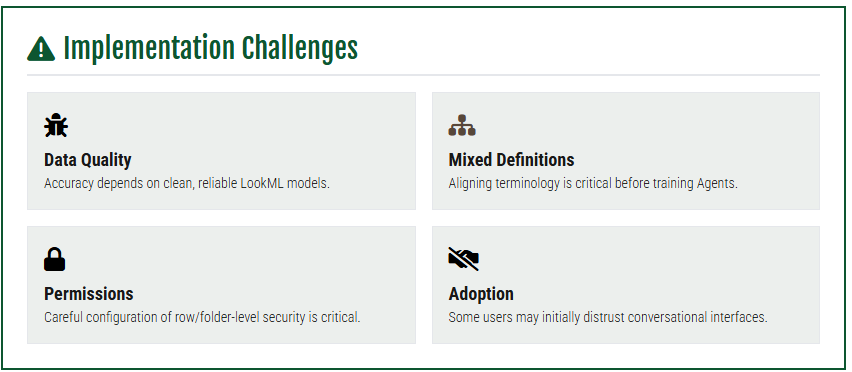
Data Quality: AI accuracy depends on reliable LookML models.
Mixed Business Definitions: Terms must be aligned across teams before training Data Agents.
Permissions Management: Row-level and folder-level security must be configured carefully.
Organizational Adoption: Some users may take time to trust conversational interfaces.
Integration Effort: MCP and agent orchestration require setup work.
These challenges are manageable and common in any enterprise transformation process.
8. Conclusion: Why Looker Leads the AI-Driven Analytics Shift
AI-driven analytics in Looker provides fast, accurate insights without requiring users to navigate complex dashboards or learn BI tools. The platform achieves this by combining conversational AI, governed metrics, strict permissioning, consistent definitions, and integration with external LLMs like Gemini and Claude.
With the introduction of Agentspace, automated semantic modeling, and deeper conversational capabilities, Looker is clearly moving toward a future where AI and governance work hand-in-hand. This balance makes Looker one of the most reliable enterprise platforms for organizations preparing to scale their analytics.
For teams aiming to modernize decision-making, accelerate reporting, or provide self-service insights, Looker offers a stable, governed, and future-ready AI analytics foundation.
FAQs
What is AI-driven analytics in Looker and how does it work?
AI-driven analytics in Looker is a conversational layer built on top of governed data models. It allows business users to ask natural-language questions like “What were last month’s sales?” and receive instant, accurate insights without navigating complex dashboards.
How can business users benefit from conversational analytics in Looker?
With Looker’s conversational analytics, users can get answers to ad-hoc questions, create dashboards automatically, and produce insightful reports—all without relying heavily on analysts. This makes data more accessible and accelerates decision-making across teams.
What are Data Agents in Looker and why are they important?
Data Agents teach AI how your business speaks by defining terminology, synonyms, filters, and rules. This ensures that AI-generated insights are accurate, contextually relevant, and aligned with your organization’s governance standards.
Can AI-driven analytics in Looker be used inside other applications?
Yes. Looker can embed conversational analytics into SaaS products or internal apps, letting users ask questions and receive insights without leaving the interface, while maintaining security, branding, and permission controls.
What challenges should businesses expect when implementing AI-driven analytics in Looker?
Common challenges include ensuring clean LookML models, aligning business definitions, configuring permissions, driving user adoption, and integrating external AI tools. With proper planning and governance, these challenges are manageable.
Which AI tools integrate best with Looker for analytics?
Looker works natively with its conversational analytics layer and can also integrate with external AI tools like Gemini, Claude, or other generative AI platforms using the MCP server. This combination allows users to generate dashboards, summaries, and insights while ensuring accuracy and governance.
How does Looker ensure AI provides reliable and accurate insights?
Looker relies on its semantic layer (LookML), governed metrics, and tools like Spectacles and Content Observer to validate data models. This ensures AI-generated answers are consistent, accurate, and aligned with enterprise definitions, reducing errors and building trust among users.


Comments