
JavaScript applications require advanced tools for performance, asset management, and syntax support. Previous articles covered TypeScript, Babel, Flow, and PureScript. This article examines SWC and Traceur. These tools manage bundling, module resolution, and transpilation. They ensure cross-platform compatibility.
SWC (Speedy Web Compiler)
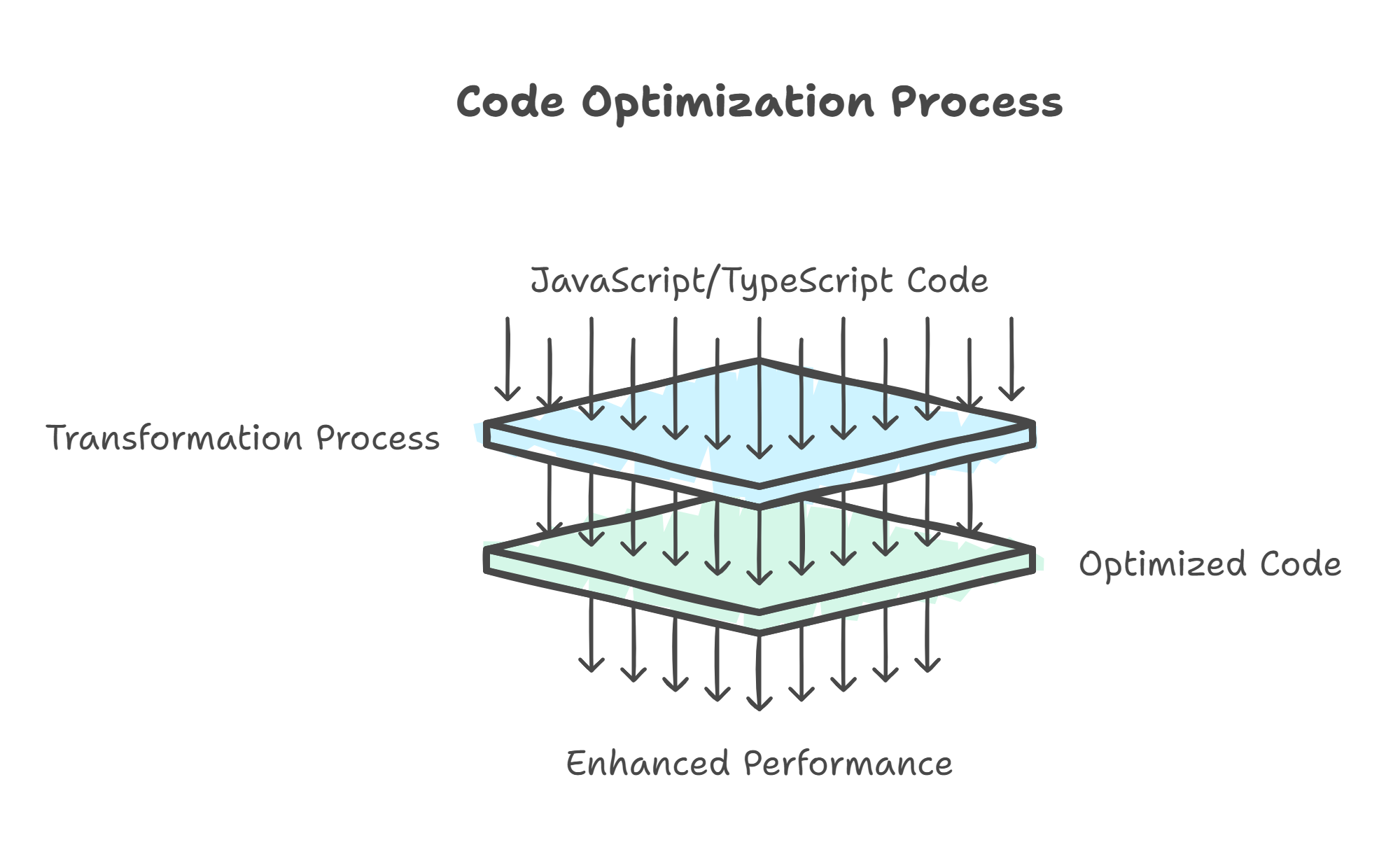
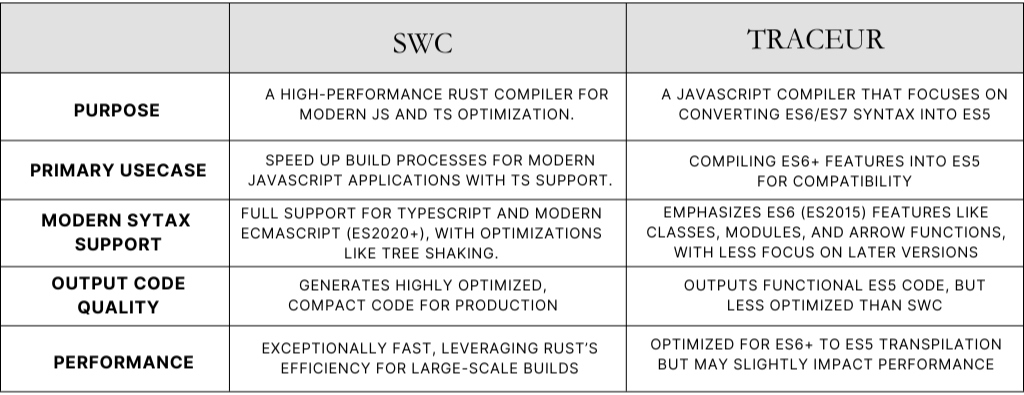
SWC is a high-speed JavaScript and TypeScript compiler written in Rust. It functions as a high-performance alternative to Babel. SWC supports modern JavaScript standards. It focuses on speed and efficiency. The compiler outputs optimized JavaScript for cross-browser compatibility.
Use Cases
- Large-Scale Applications - SWC supports projects that require high-performance builds. - It processes large codebases with minimal build times. - Developers select SWC to reduce build latency. - Vercel uses SWC for Next.js. - This configuration reduces build times and improves developer productivity.
- TypeScript Compilation - SWC compiles TypeScript to JavaScript. - This process removes the dependency on tsc in many projects. - The build pipeline simplifies. - Performance remains stable. - In TypeScript-heavy applications, SWC transpiles code quickly. - It supports modern JavaScript syntax.
- Framework Integrations - SWC integrates with frameworks like Next.js. - It enables incremental compilation. - It supports modern JavaScript and TypeScript standards. - React-based applications use SWC for faster development builds. - It optimizes production output.
SWC Configuration
{
"$schema": "https://json.schemastore.org/swcrc",
"sourceMaps": true,
"jsc": {
"parser": {
"syntax": "typescript",
"decorators": true,
"dynamicImport": true
},
"baseUrl": "./"
},
"minify": false
}
Traceur
Traceur is a JavaScript compiler. It converts ECMAScript 6 (ES6) code into ES5. This process allows developers to use modern syntax in environments that lack native ES6 support. The output runs in older browsers.
Use Cases
- Legacy Browser Support - Traceur enables modern JavaScript code with compatibility for browsers lacking ES6 support. - This ensures operation across diverse device and browser combinations. - Example: Google Docs used Traceur to apply ES6 syntax while maintaining older browser compatibility.
- Developing with Latest JavaScript Features - Traceur allows development with ES6+ syntax (destructuring, classes, template literals). - This supports environments without native ES6 support. - Example: Developers on large-scale projects may use Traceur to adopt new syntax before achieving full cross-platform browser support.
- Modules in Older Environments - Traceur supports ES6 modules in environments lacking native module syntax. - This improves code organization in large codebases. - Example: Organizations with legacy web applications use Traceur to implement ES6 modules while supporting older browsers.
How to Use Traceur
traceur <filename>.js --out <outputfile>.js
Conclusion
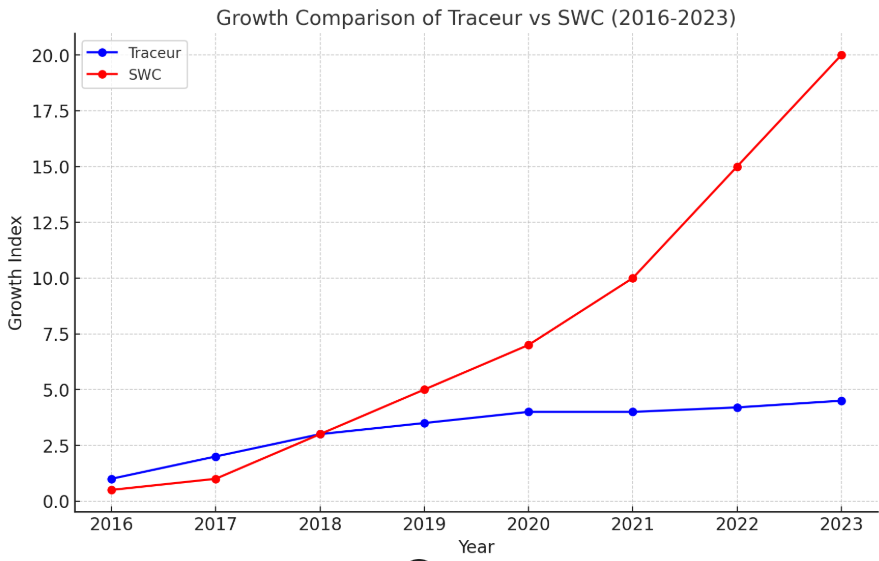
SWC and Traceur serve distinct roles in the JavaScript ecosystem.
- SWC prioritizes performance and scalability. It suits frameworks like Next.js that require rapid builds and efficient optimization.
- Traceur bridges new JavaScript features and legacy browser compatibility. It supports broader accessibility.
- Evaluate the strengths of each tool to select the option that fits your specific development requirements.