
Workplace automation requires connecting tools within a unified environment. Integrating traditional ML with Gen AI creates robust predictive models. A Google AgentSpace Slack integration allows users to conduct natural conversations with a virtual assistant inside Slack. This method eliminates tab switching, complex navigation, and manual data transfer.
Teams often seek Slack bots that actively assist, interpret context, and provide measurable value. We recently implemented this solution for an enterprise analytics client. They required a conversational AI in Slack connected to Google AgentSpace. The resulting system delivered a seamless experience. The client reported significant improvements to internal workflows.
This article provides a step-by-step guide to integrating AgentSpace with Slack using the Deno Slack SDK. The process covers setting up Google OAuth credentials, configuring the Slack app, and deploying login, logout, and question triggers. Once configured, users connect their Google account to interact with the AgentSpace Assistant. Answers appear directly in Slack.
Slack + AgentSpace: Automate Workflows with Google AI
This section explains the business case.
Slack is the central channel for team communication and execution. Google AgentSpace uses Vertex AI and Google tools to process natural language. It answers complex queries, summarizes data, and supports analytics.
Combining these platforms provides the following benefits:
- Single Interface: All actions occur in Slack. This reduces context switching and maintains focus.
- Faster Decision-Making: Receive instant answers to questions. This accelerates your decision process.
- Natural Interaction: AgentSpace understands context. It responds naturally. This makes interactions intuitive.
- Workflow Automation: AgentSpace acts as an always-on assistant. It automates responses. This reduces manual effort.
- Increased Productivity: AgentSpace centralizes information access. It automates routine queries. Teams can shift time to strategic tasks.
This integration provides your team with an AI assistant in the Slack workspace. It changes how teams access information and execute tasks.
Core Components: Slack Bot Architecture for Google AgentSpace
Building this Slack bot requires a defined tech stack and specific prerequisites.

Tech Stack
The solution uses the following components:
- Google AgentSpace: Provides conversational intelligence and AI capabilities.
- Slack (paid plan): Primary communication platform and user interface.
- Deno Slack SDK: Toolkit for developing Slack applications.
- Google OAuth 2.0: Protocol for secure user account authentication.
Integration Prerequisites
Requirements for the Slack AgentSpace integration:
- A paid Slack workspace. You need full API access for all features to work.
- A Google Cloud account. You use this to create OAuth credentials and manage AgentSpace.
- Basic knowledge of workflows and permissions. You should understand application interactions and data security.
- A Deno environment. You need this to run the Slack bot.
- Basic knowledge of environment variables. You use these to store API keys and credentials securely.
Agentspace Slack Integration: Deno Slack SDK Implementation Guide
This section details the steps to configure a Google AgentSpace Slack bot.
1. Configure Google OAuth Credentials
OAuth allows users to connect Google accounts without sharing passwords with the application. This setup includes a login screen for user authentication before bot interaction. Google provides the necessary tools, and Slack supports OAuth flows, which reduces configuration complexity.
The following outline details the OAuth setup:
- Create a Google Cloud project. The project contains your application and services.
- Enable the Google People API. Enable other APIs as needed to support bot functions.
- Configure the OAuth consent screen. Users view this screen when they grant access. Define the app name, logo, and required scopes.
- Create OAuth client ID credentials. Set the application type to Web application. Define authorized redirect URIs. Google sends the authentication code to this URI after login. Point the URI to a Slack application endpoint.
- Obtain the Client ID and Client Secret. These credentials identify your application for Google authentication. Store them securely.
2. Configure the Slack Environment
Use the Slack Command Line Interface (CLI) to create and manage apps. We built a workspace app that handles specific commands and triggers:
- Login command: Starts the Google OAuth flow.
- Logout command: Removes the user's Google account link.
- Question triggers: Lets users ask questions and get answers from AgentSpace.
Slack app setup steps:
- Create a Slack App. Build a new app in your workspace. Use the Slack API website or Slack CLI.
- Add Scopes. Grant the app required permissions. Examples include chat:write, commands, and users:read.
- Enable Interactivity and Shortcuts. Set a request URL for interactive components. The URL points to the Deno application.
- Install the App. Add the development version to the Slack workspace.
3. Integration Sequence
The following diagram shows the operational flow of the conversational bot:
- User Start: The user triggers the bot via a Slack shortcut or command (e.g., /login).
- Identity Verification: The bot directs the user to a secure Google OAuth interface.
- Consent: The user grants the Slack app access to specific Google account data.
- Token Exchange: Google returns the authorization code to the Deno app redirect URI. The app exchanges this code for access and refresh tokens.
- User Ready: Authentication completes. The user can now submit questions directly in Slack.
- Bot to AgentSpace: The Slack bot receives the user query. It uses the stored access token to authenticate with Google. It then sends the query to Google AgentSpace.
- AgentSpace Processing: AgentSpace processes the query using AI capabilities. It accesses and analyzes relevant data.
- Response Delivery: AgentSpace sends the response to the Deno app. The app relays the response to the user in the Slack channel.
Automated Slack workflows streamline user tasks and reduce friction.
How the Agentspace Slack Bot Works: Triggers and Intelligence
The Google AgentSpace bot uses specific triggers and adaptive logic to manage interactions.
4. Login and Logout Triggers
Users select the "Login" button or enter /login to open a secure prompt. Google OAuth handles the account connection. The application does not access user credentials. Users can disconnect at any time. Select "Logout" or enter /logout to revoke access tokens and terminate the session.
This dual function gives users full control over their connection to the Slack workspace AI assistant.
5. How Question Triggers Drive the Conversation
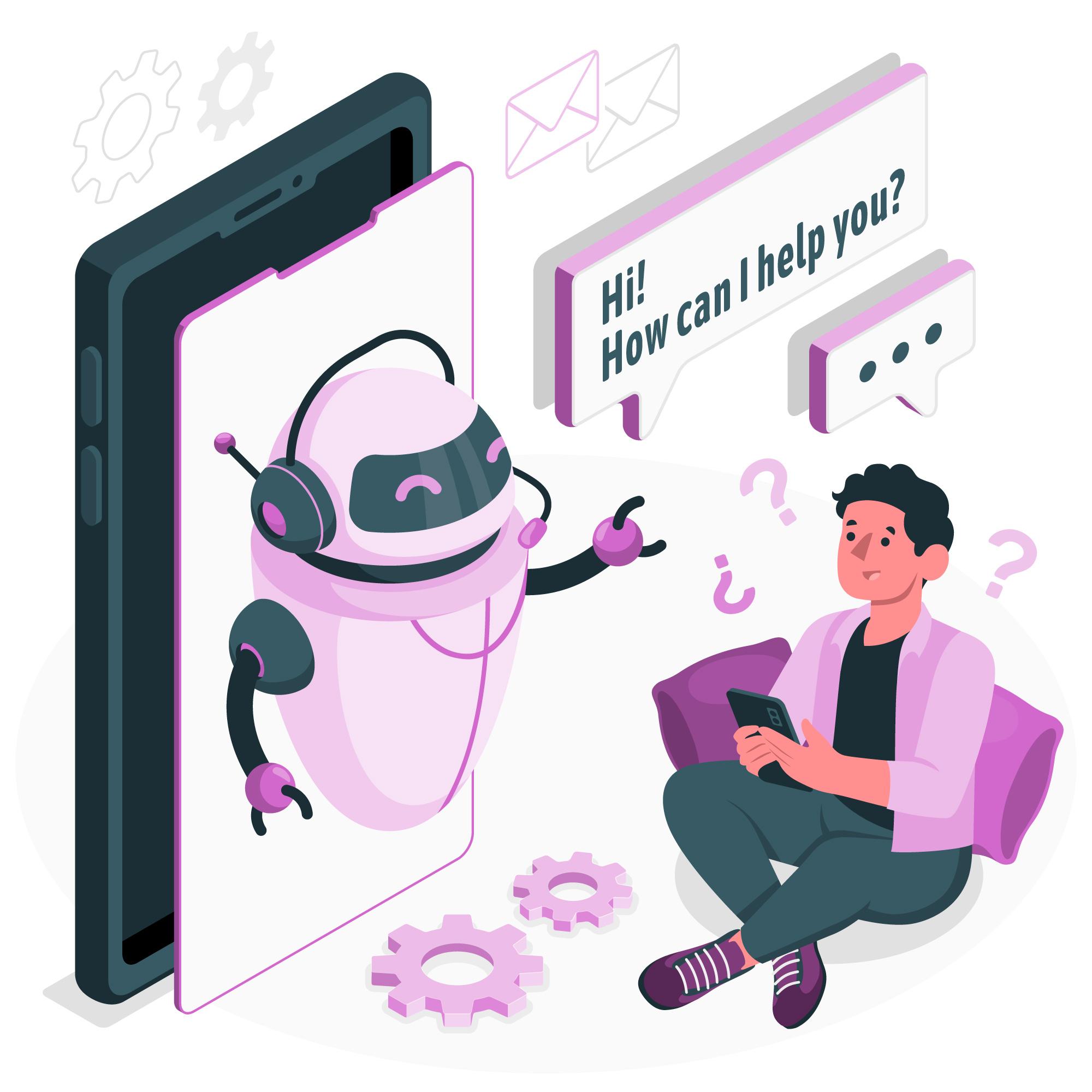
The system activates when users type a question directly into Slack, such as:
- "Show me the open support tickets for today."
- "Summarize last quarter's sales performance."
- "Summarize the key findings from the latest market research report."
The Slack bot for Google AgentSpace processes the query as an intelligent intermediary. It sends the question to AgentSpace. AgentSpace uses conversational AI to process the request. It uses your business data and context to form an accurate reply. AgentSpace returns the answer to Slack in seconds. This real-time interaction reduces time spent on data retrieval and analysis.
6. Add Credentials for Security and Functionality
Configure the following credentials to secure the assistant and enable accurate processing:
- Google Client ID: Obtained from the Google Cloud OAuth setup. It identifies your application.
- Project Number. Google Cloud project ID linked to your AgentSpace instance.
- App ID. Unique identifier for your AgentSpace conversational AI model.
- Slack Bot Token. Unique Slack app token that authenticates API requests.
- Slack Signing Secret. Verifies that incoming requests to your Deno app originate from Slack.
Store these credentials securely as environment variables in your Deno application. Do not hardcode them in source code.
User Experience and Future Enhancements
This Google AgentSpace Slack bot prioritizes function and user experience.
7. Use the Bot: Login to Query
The user flow includes these steps:
- Select "Login" or use a slash command to start authentication.
- Link your Google account: Authenticate your identity using OAuth.
- Start the workflow: Press the “Start Workflow” button or type your query.
- Ask your question: Interact with the bot in natural language.
- Receive the response: The bot returns relevant answers within seconds.
8. Conversation Flow: How the Bot Maintains Context
After login, users can hold multi-turn conversations. The bot processes each query with full context. It resolves references from previous turns. This function reduces input length and improves clarity.
9. Enhance Bot Intelligence via Continuous Learning
You can improve bot performance over time by implementing the following:
- Memory and history: Store past questions and user preferences. Save this data in a database accessible by your Deno application. This allows retention within and across sessions.
- Fine-tuning: Train AgentSpace models with additional data. Use specific use cases to increase response accuracy and relevance.
- Feedback Loops: Capture user input on bot responses to refine accuracy and improve performance over time.
These elements enable natural, personalized, and effective interactions with the Slack bot for Google AgentSpace.
10. Reliability: Manage errors without disrupting the user experience
A reliable AI assistant for Slack must handle errors to maintain user trust. The system manages common issues, including:
- Expired login sessions: Prompt users to re-authenticate or refresh tokens automatically when possible.
- Handle invalid queries. Provide rephrasing suggestions or prompts when the bot does not recognize the input.
- Address connection errors. Notify users of temporary service outages. Instruct them to retry.
Clear prompts and error messages prevent user confusion. This maintains a consistent user experience.
Applications and Future Direction
Slack bots for Google AgentSpace serve multiple business functions. They enable future operational scaling.
11. Common Use Cases: Practical Applications
This integration supports cross-functional workflows across departments:
- HR: Query remaining leave balances or review remote work policies.
- Sales: Identify top quarter leads or summarize meeting notes.
- Support: Summarize daily customer issues or locate password reset guides.
- Finance: "Show Q3 marketing budget."
- IT: "What is the network outage status?"
These examples show how the Slack bot supports daily operational tasks.
12. Security Best Practices: Data Protection
Security is a core requirement. In this architecture:
- Authentication controls access. Only verified users via Google OAuth can interact with the bot and access sensitive data.
- Tokens remain secure. The Deno application manages access and refresh tokens. It does not expose these tokens to the client.
- Data exposure is minimal. Slack messages do not contain sensitive information. AgentSpace processes data securely and returns only relevant answers.
- Permissions follow the principle of least privilege. The Slack app and AgentSpace hold only the permissions required for their functions.
This layered security approach supports enterprises that handle sensitive data.
13. Architecting for Scalability
The architecture supports 10 to 1,000 concurrent users without latency degradation. Google Cloud infrastructure and the Deno runtime provide high throughput and low latency. AgentSpace manages concurrent request volumes effectively. This design ensures reliability for enterprise-scale deployments.
14. Client Outcomes
An enterprise analytics firm reported the following results after deployment:
The assistant reduced internal query traffic by 40%. The team redirected effort from data retrieval to strategic analysis. This shift improved operational efficiency.
This feedback confirms the return on investment and productivity gains of a well-implemented Slack bot for Google AgentSpace.
15. Enterprise Adoption: Scaling Across Teams
The assistant proved its value to one team. Its benefit became clear across the organization. We extended access to HR, Support, Sales, and IT with minimal configuration. This demonstrates the scalability and adaptability of the solution. It enables workflow automation in Slack.
16. Future Directions: Extending Current Capabilities
The implementation continues. The Slack bot for Google AgentSpace can evolve to support:
- Send real-time alerts. Notify users in Slack about key business events, such as sales targets or system outages.
- Connect to Google Sheets and dashboards. Enable users to request data views or export data from AgentSpace to familiar tools.
- Accept voice input via Google tools. Integrate with Google Assistant or other voice services for hands-free operation.
- Create personalized workflows. Build custom processes based on user roles or preferences to provide specific support.
- Deliver proactive information. Send relevant data to users before they request it based on anticipated needs.
These enhancements establish the Google AgentSpace Slack bot as a core component of an intelligent workplace.
Conclusion: Operationalizing Work with a Google AgentSpace Slack Bot
Integrating Google AgentSpace into Slack creates a connected workspace. Embedding the AI assistant into daily conversations removes friction. Users gain immediate access to information. This process reduces workflow time.
Use this approach to simplify internal support. It streamlines data access. It improves team productivity. The Google AgentSpace Slack bot handles routine queries and data retrieval. Teams focus on high-value tasks. This integration supports enterprises that leverage conversational AI. It enables Slack automation with Google AI.
Learn more about Google AgentSpace:
Google AgentSpace: Overview
SquareShift offers AI implementation services for assistants like this one, from OAuth setup to deployment.
For the platform behind this bot, read how Google AgentSpace leads the AI agent revolution and how AgentSpace data storage and retrieval works.
Frequently Asked Questions
Frequently Asked Questions
Q: How does a Slack bot integrated with Google AgentSpace improve team productivity?
Integrating Google AgentSpace with Slack provides AI-driven answers and analytics within the workspace.
- Reduces app switching
- Automates routine queries
- Delivers real-time contextual insights
Employees focus on strategic tasks. This streamlines decision-making, improves collaboration, and increases productivity across departments.
Q: What are the key steps to build a Google AgentSpace Slack bot?
Build the bot by following these steps:
1. Set up Google OAuth credentials for secure authentication.
2. Create a Slack app using the Deno Slack SDK.
3. Configure commands for login, logout, and question triggers.
4. Connect the bot to AgentSpace.
The bot handles context-aware queries and provides AI-generated responses directly in Slack.
Q: Is it safe to use Google OAuth with a Slack AI assistant?
Yes. Google OAuth secures authentication without exposing user passwords.
- The bot securely manages access and refresh tokens.
- Sensitive data does not appear in Slack messages.
- Best practices include:
- Principle of least privilege
- Token encryption
- Controlled app scopes
These measures keep the integration safe for enterprise environments.
Q: What types of business tasks can this Slack bot handle?
The bot supports multiple departments with AI assistance:
- HR: Answers leave and policy queries
- Sales: Summarizes leads and meetings
- Support: Retrieves knowledge base articles
- Finance: Reviews budgets
- IT: Reports system statuses
Context-aware intelligence makes the bot suitable for workflows requiring fast, accurate data access.
Q: Can Squareshift help us build a custom Slack bot integrated with Google AgentSpace?
Yes. Squareshift builds enterprise-grade Slack bots powered by Google AgentSpace. We handle full implementation:
- Secure Google OAuth authentication
- Deno Slack SDK trigger configuration
- Context-aware conversation design
- Deployment of AI assistants
These steps streamline workflows and improve team productivity.
Q: What support does Squareshift provide after deploying a Slack AI assistant?
Squareshift provides end-to-end post-deployment support:
- Bot monitoring
- Error handling
- Continuous AI model training
- Workflow optimization
We ensure the Slack bot remains reliable, secure, and scalable. We incorporate user feedback and new business requirements for ongoing improvements.
Q: Can Squareshift customize the Slack bot for different departments or business workflows?
Yes. Squareshift tailors Slack bots for specific teams, including HR, Sales, Support, Finance, and IT.
- Configures role-based triggers
- Designs contextual responses
- Builds personalized workflows
This approach meets unique departmental needs and delivers value across the organization.
Q: How do you connect Slack to Google Agentspace?
Use the Deno Slack SDK. Set up Google OAuth credentials, configure the Slack app, and deploy login, logout and question triggers. Users connect their Google account. The bot then uses the stored access token to send each question to Google AgentSpace and relays the answer back into the Slack channel.
Q: What do you need to build an Agentspace Slack bot?
You need a paid Slack workspace with full API access, a Google Cloud account to create OAuth credentials and manage AgentSpace, and a Deno environment to run the bot. You also need basic knowledge of workflows and permissions, and of environment variables for storing API keys and credentials securely.
Q: How does the Agentspace Slack bot handle login and logout?
Users select the Login button or enter /login to open a secure prompt, and Google OAuth connects the account. The application never accesses user credentials. To disconnect, users select Logout or enter /logout, which revokes the access tokens and ends the session, so users stay in control of the connection.
Q: How many users can an Agentspace Slack bot support?
The architecture supports 10 to 1,000 concurrent users without latency degradation. Google Cloud infrastructure and the Deno runtime provide high throughput and low latency, and AgentSpace manages concurrent request volumes effectively. This design is meant to keep the bot reliable for enterprise-scale deployments.