
“Competitors adapt faster. Current data arrives after the decision window closes.”
This scenario is common in many marketing organizations.
Marketing leaders often base decisions on delayed dashboards. These dashboards fail to guide active campaigns.
Data suggests that tooling constraints, not team performance, drive operational friction. Traditional BI platforms, such as Tableau, often lack the speed required for real-time workflows.
Delays reduce campaign effectiveness. Evaluate your analytics stack if it cannot match current operational velocity.
Operational Costs of Delayed Campaign Decisions
CMOs managing multi-channel campaigns often face delayed insights. While Tableau supports many reporting needs, it frequently depends on:
- Extract-based data pipelines
- Desktop-centric development cycles
- Manual handoffs between analysts and marketing teams
Quarterly reports may accept this latency. Daily ad optimization and real-time promotions require immediate data access.
Solution: Looker and BigQuery
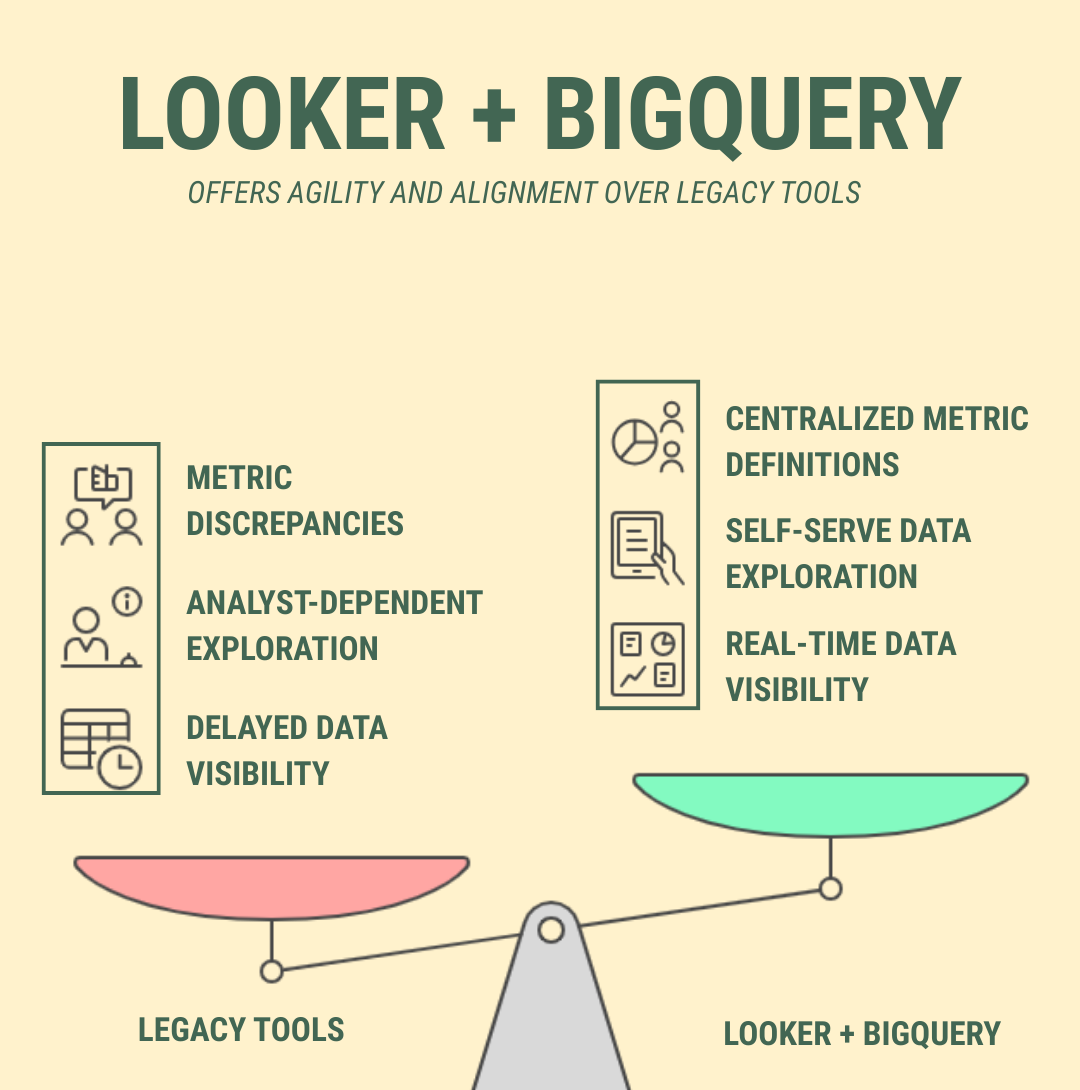
Looker's cloud-native architecture, integrated with BigQuery, resolves limitations in legacy tools. This stack supports the agility required by marketing leaders.
1. Real-Time Campaign Visibility
Looker queries data live from your warehouse; it does not store data. BigQuery and dynamic LookML SQL generate current performance views. Marketers access real-time data, not historical summaries.
2. Self-Serve Data Exploration
Marketing teams analyze data independently. The Looker interface supports filtering and pivoting without analyst intervention. This reduces dependency on custom report generation.
3. Centralized Metrics and Team Alignment
Looker's semantic layer standardizes key metrics. All teams use the same definitions for ROAS, conversion rate, and cost per click. This eliminates disputes over which dashboard is accurate.
What changes when teams switch to Looker?
A global ecommerce client we supported achieved rapid gains after migrating from Tableau to Looker:
- Alert updates for high-budget campaigns improved by 95%
- Real-time visibility into active promotions
- 30% reduction in infrastructure and storage costs
The marketing team moved from reactive reporting to proactive decision-making.
Tableau vs. Looker: Selecting a Platform for Real-Time Marketing Analytics
Tableau remains a viable option. However, CMOs leading agile teams often select Looker + BigQuery for real-time analytics.
| Feature | Tableau | Looker + BigQuery |
|---|---|---|
| Data freshness | Extract-based | Live, real-time queries |
| Semantic layer | Limited | Centralized with LookML |
| Campaign drilldown | Analyst-dependent | Self-serve |
| Marketing modeling | Minimal | Extensible via LookML |
| Scalability | Desktop/server | Fully cloud-native |
Planning the Switch: An Iterative Migration
Migrating to Looker requires strategic planning. We assist teams by:
- Reusing campaign logic from existing dashboards
- Enhancing governance and model scalability
- Accelerating team onboarding via a clear interface
Whether you plan a direct migration or a structural rebuild, we manage the transition to maintain operational stability. We help brands reduce costs, simplify workflows, and increase speed using Looker on Google Cloud.
Related reading: real-time campaign optimization with BigQuery and Looker and Tableau to Looker migration for marketing analytics.
Contact a migration specialist
FAQ
CMOs shift to Looker because tools like Tableau often use extract-based data and manual updates. This slows decision-making. Looker and BigQuery provide real-time visibility, self-service analytics, and a semantic layer. Marketing teams act on data instantly.
Yes. Looker queries live warehouse data. This provides up-to-the-minute performance metrics. This view helps optimize campaigns. It reduces missed opportunities. Marketers make proactive decisions instead of reacting to outdated reports.
Looker uses an intuitive interface and LookML semantic modeling. Teams can explore, filter, and drill down into data. This reduces dependency on analysts. Insights speed up. Teams experiment and optimize campaigns independently.
Not necessarily. Teams can reuse existing dashboard logic. They improve governance and scalability. A structured plan, training, and a cloud-native interface support this. Teams gain real-time insights quickly. Current workflows remain intact.
SquareShift helps teams transition smoothly. It reuses existing dashboards. It builds scalable LookML models. It ensures data governance. It trains teams to explore insights independently. This makes real-time marketing analytics easy to adopt.
Yes. SquareShift sets up live dashboards. It defines centralized metrics. It automates alerts. This gives teams instant campaign visibility. This enables faster optimization. It improves ROI tracking. It supports proactive decisions across all marketing channels.