
Organizations adopt modern business intelligence platforms like Looker to enhance data analytics. Migrating from Tableau requires careful planning and strategic execution to overcome specific technical and operational hurdles.
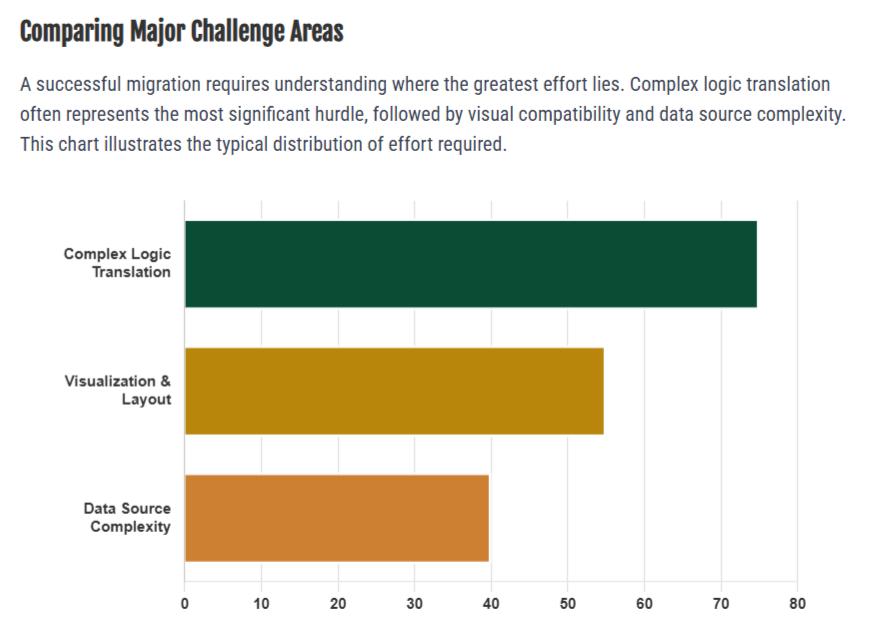
Understanding migration challenges upfront allows teams to prepare for a smooth transition. This approach maintains data integrity and supports user adoption. The main Tableau to Looker migration challenges are translating complex logic, visualization and layout compatibility, and data source and connection complexity.
Table of Contents
Business Drivers for Migrating from Tableau to Looker
Core Technical and Operational Challenges
Strategic Framework for Risk Mitigation
Environment Discovery and Dependency Mapping
Translating Complex Analytical Logic
Align visual consistency and layout standards
Apply platform-native best practices
Realize long-term operational benefits
Select a proven migration partner
SquareShift: End-to-end migration expertise
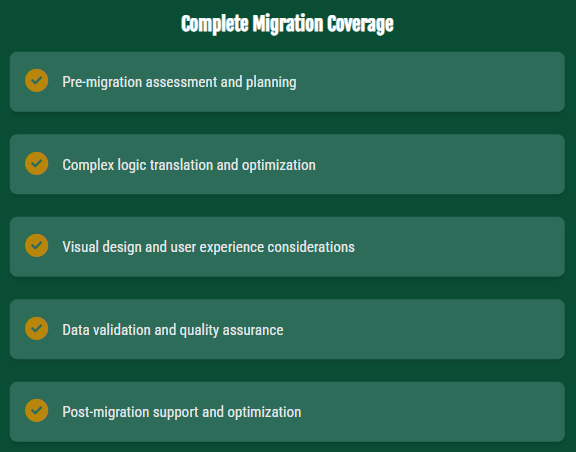
Scope of Migration Coverage
- Complex Logic Translation Errors
- Visualization and Layout Compatibility Limits
- Data Source and Connection Complexity
Reasons for Migrating from Tableau to Looker
Migrations occur for specific reasons. Looker provides three core benefits. It uses a cloud-native design. It uses LookML for version-controlled modeling. It integrates with modern data stacks. You must solve technical and organizational issues during the move.
Contact our experts for a consultation.
Contact Experts
Key Tableau to Looker Migration Challenges
1. Translating Complex Logic
Tableau flexibility increases migration complexity. The platform supports sophisticated calculations and custom logic. This flexibility creates mapping challenges during migration.
Level of Detail (LOD) Expressions: Tableau LOD expressions support complex analytical calculations. These expressions often lack documentation. Nested logic obscures dependency relationships. Accurate translation to LookML requires detailed analysis.
Custom Calculated Fields: Organizations accumulate hundreds of custom calculations. Many calculations solve similar business problems using different methods. This creates inconsistencies. Migration requires resolution of these conflicts.
Undocumented Business Logic: Long-term Tableau use embeds tribal knowledge in worksheets. Critical business rules often exist only in complex calculations. These rules lack accompanying documentation. Extensive discovery work is required.
2. Visualization and Layout Compatibility
Visual layers introduce migration challenges that impact user experience and adoption.
Unsupported chart types: Some Tableau visualizations lack direct Looker equivalents. Bullet graphs, dual-axis combinations, and custom polygon maps require alternative designs or third-party tools.
Floating layout limits: Tableau supports overlapping elements and precise positioning. Looker uses a tiled layout. This structure requires dashboard redesign.
Color palette and branding: Maintain visual consistency by extracting and recreating color schemes, fonts, and styles. These elements may not transfer directly between platforms.
3. Data Source and Connection Complexity
Map Data Source Dependencies Tableau workbooks connect to multiple data sources with complex relationships. Map these dependencies to the Looker modeling layer. Test the recreation to ensure accuracy.
Optimize Query Performance Query optimization differs between platforms. Techniques that improve Tableau performance may not yield optimal results in Looker. Adjust queries for the Looker environment.
Strategies to Resolve Tableau to Looker Migration Challenges
Conduct a Comprehensive Environment Assessment
Assess the full Tableau environment scope. Organizations often underestimate this scope. A thorough assessment identifies true complexity before migration starts.
SquareShift’s Assessment Accelerator scans Tableau sites. It generates reports that detail:
- A full list of dashboards, workbooks, and data sources
- An analysis of filters, parameters, and custom calculations
- A list of unsupported elements requiring new methods
- Complexity scores to set realistic time and effort estimates
This early visibility allows teams to set clear expectations and allocate resources effectively. It reduces risk during migration.
2. Solving Complex Logic Translation
Translating visual features into Looker's structured model presents a significant challenge. Teams must map sets, groups, and nested calculations to Looker's architecture.
Implement a Smart Derived Table strategy. Use derived tables to handle multiple related calculations. If calculations share the same data structure, combine them into one derived table. This approach improves performance and maintainability.
If logic relies on unrelated data sources, separate the components. Create distinct derived tables for each source. This requires more initial modeling work. It ensures data accuracy and creates reusable components for future projects.
Handling automatic chart detection Tableau does not store explicit values for its "Automatic" chart type. SquareShift Migration Accelerator resolves this gap by analyzing visual thumbnails. The tool uses pattern recognition to infer the intended chart type.
Function translation solutions Looker lacks direct equivalents for certain Tableau functions. SquareShift Migration Accelerator uses custom templates to rewrite incompatible expressions. The tool converts these expressions into Looker-compatible syntax. The solution preserves the original analytical logic within the new platform constraints.
Review how these tools ensure data accuracy. Access the data integrity migration guide.
Read More
3. Visual consistency and layout solutions
Color Palette Preservation: Maintaining brand consistency requires mapping visual elements. Tableau default colors are not accessible. Migrations extract existing schemes. Teams build custom Looker palettes to match original designs.
Layout Reconstruction: Tableau allows floating and overlapping elements. Looker uses a tiled system. AI analysis examines dashboard structures. Teams reconstruct layouts within the Looker grid. This approach achieves 80% layout fidelity.
Unsupported Visualization Handling: Looker lacks native support for some Tableau chart types. Migration tools provide pre-built templates and custom visualizations. These insert automatically during conversion. Analytical capability remains intact despite visual changes.
4. Platform-Native Best Practices
Strategic Modernization: Do not replicate every Tableau behavior. Use migration to adopt Looker best practices. Align workflows with platform strengths. Remove legacy approaches that do not fit Looker.
For example, adopt Looker's responsive tiled layout rather than forcing floating behavior. This approach improves maintainability and scalability.
Prioritize long-term stability. Select solutions that remain easy to maintain. Accept minor visual changes to gain better performance, easier updates, and reduced technical debt.
Long-Term Value
Successful Tableau to Looker migrations deliver significant long-term value.
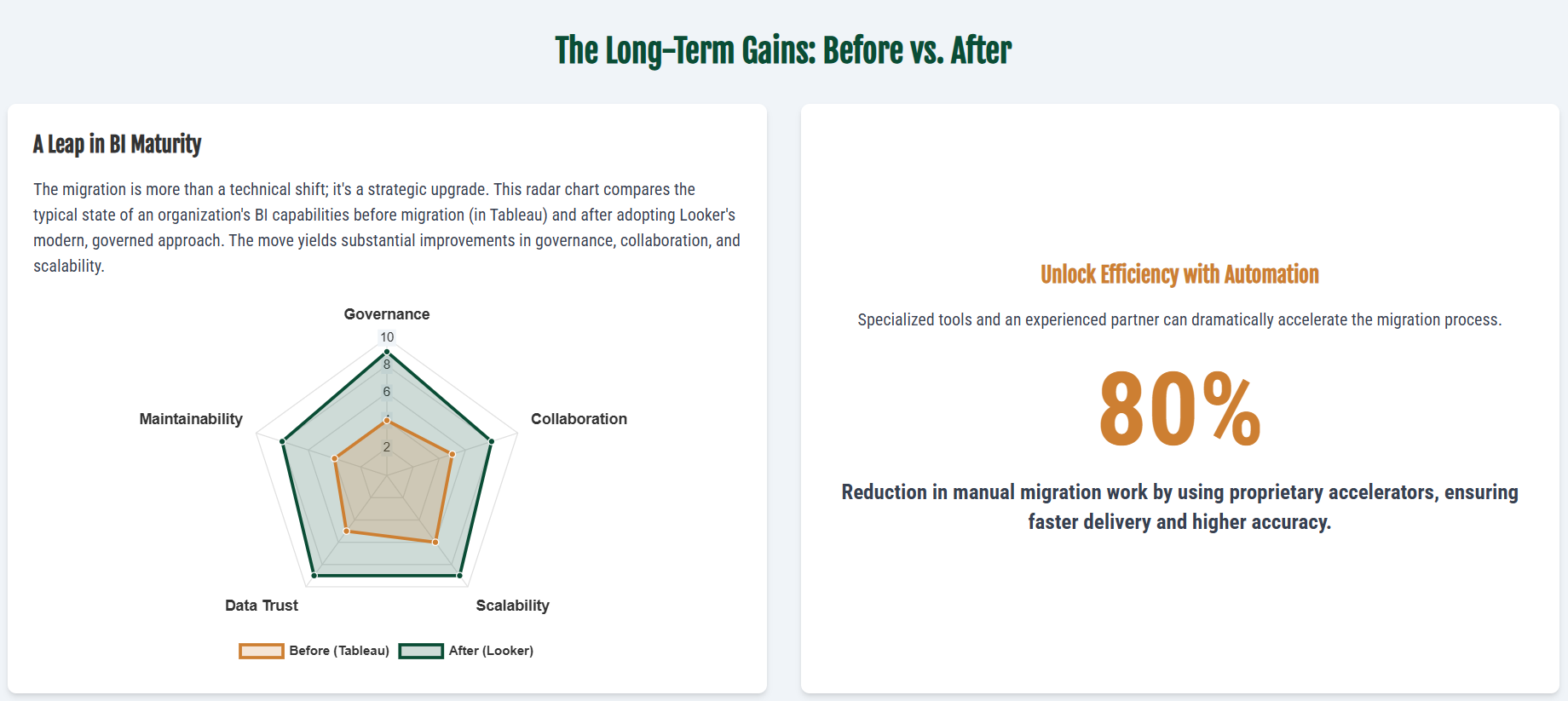
- LookML code-based governance improves control over metric definitions. It reduces calculation errors and increases data trust.
- Enhanced Collaboration. Git-based workflows improve coordination between technical and business teams. They provide clear change tracking and review processes.
- Scalable Architecture. Looker architecture scales effectively. It integrates with cloud-native data stacks.
See how automated tools deliver these benefits. Review the SquareShift Migration Accelerator.
Learn more
Criteria for Selecting a Migration Partner
Effective Tableau-to-Looker migrations balance technical precision with future analytics requirements. Systematic planning and execution reduce risk. This approach delivers long-term value to data-driven organizations.
Migration outcomes depend on specialized expertise and appropriate tooling. Organizations lacking specific knowledge face common issues: project delays, data accuracy errors, and low user adoption. Proper preparation prevents these results.
Squareshift: End-to-End Migration Support
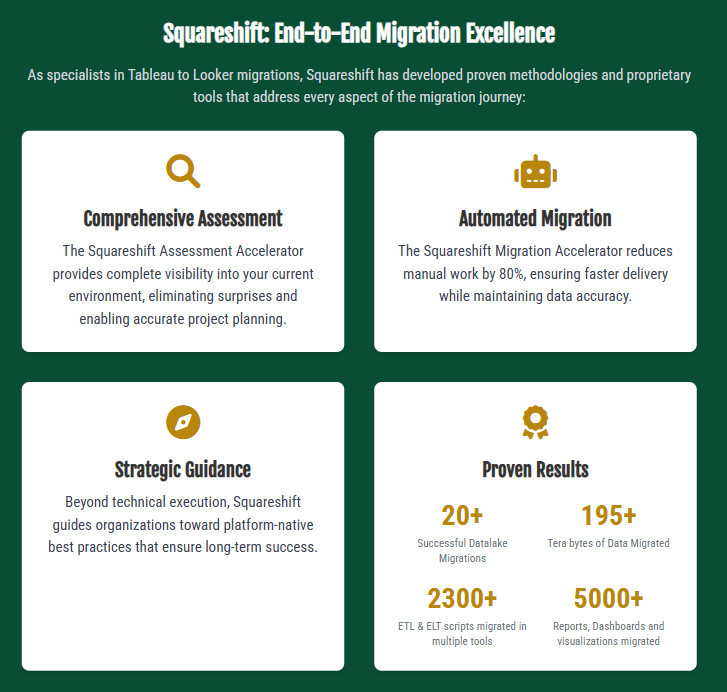
Squareshift specializes in Tableau-to-Looker migrations. We use proven methodologies and proprietary tools. These resources address all stages of the migration process.
- Comprehensive Assessment: The Squareshift Assessment Accelerator maps the current environment. This process identifies all dependencies. It removes unknown variables. It enables accurate project planning.
- Automated Migration: The Squareshift Migration Accelerator reduces manual effort by 80%. This approach accelerates delivery and maintains data accuracy.
- Strategic Guidance: Squareshift directs organizations toward platform-native best practices. This focus ensures long-term operational success beyond technical execution.
- Proven Results: Squareshift has completed hundreds of successful migrations. The team has identified and resolved nearly all challenges that arise during platform transitions.
How to Begin
Frequently Asked Questions
Q: Why do organizations migrate to Looker?
Organizations adopt modern BI platforms like Looker to gain specific benefits:
- Improved data governance.
- Version-controlled modeling via LookML.
- Seamless integration with modern cloud data stacks.
These capabilities are difficult to achieve in workbook-based environments.
Q: What are the primary challenges in Tableau to Looker migration?
The three main challenges include:
- Complex logic translation, such as undocumented LOD expressions.
- Visualization and layout compatibility, including recreating floating layouts.
- Data source complexity, involving multiple dependencies and performance optimization.
Q: How does Squareshift handle complex Tableau LOD expressions?
Tableau LOD expressions often contain undocumented logic. Squareshift addresses this by:
- Using the Assessment Accelerator to analyze expressions.
- Translating logic into structured, maintainable LookML.
- Applying smart derived tables to improve performance and maintainability.
Q: What long-term benefits result from a successful migration?
A successful migration provides benefits beyond a simple platform switch:
- Improved governance through version-controlled LookML.
- Enhanced collaboration via Git-based workflows.
- Scalable architecture that integrates easily with modern data stacks.
Q: Why choose Squareshift for migration?
Squareshift provides end-to-end execution using a proven methodology and proprietary tools:
- The Assessment Accelerator provides full visibility into the current state.
- The Migration Accelerator automates up to 80% of manual work.
- This approach reduces error risk, delays, and overall project duration.
Q: What visual and layout challenges come with a Tableau to Looker migration?
Some Tableau visualizations lack direct Looker equivalents. Bullet graphs, dual-axis combinations and custom polygon maps need alternative designs or third-party tools. Tableau supports floating, overlapping elements, but Looker uses a tiled layout, so dashboards need a redesign. Color palettes and branding may not transfer directly.
Q: How do you assess a Tableau environment before migrating?
Assess the full Tableau environment, because organizations often underestimate its scope. SquareShift’s Assessment Accelerator scans Tableau sites and reports a full list of dashboards, workbooks and data sources, an analysis of filters, parameters and custom calculations, a list of unsupported elements, and complexity scores for realistic time and effort estimates.
Q: What is a smart derived table strategy in Looker?
Use derived tables to handle multiple related calculations. If calculations share the same data structure, combine them into one derived table. This improves performance and maintainability. If logic relies on unrelated data sources, create distinct derived tables for each source. This needs more initial modeling work and creates reusable components.