
This guide details the configuration of a one-click deployment for an Nginx service on Google Cloud Platform (GCP). The procedure covers creating a GKE Autopilot cluster, retrieving cluster credentials, and executing the application deployment.
Prerequisites
- Configured GCP project.
- Enable Cloud Build and GKE APIs in the GCP project.
- Grant permissions to manage Cloud Build, GKE, and Deployment Manager resources.
Configuration Overview
The deployment process follows these steps:
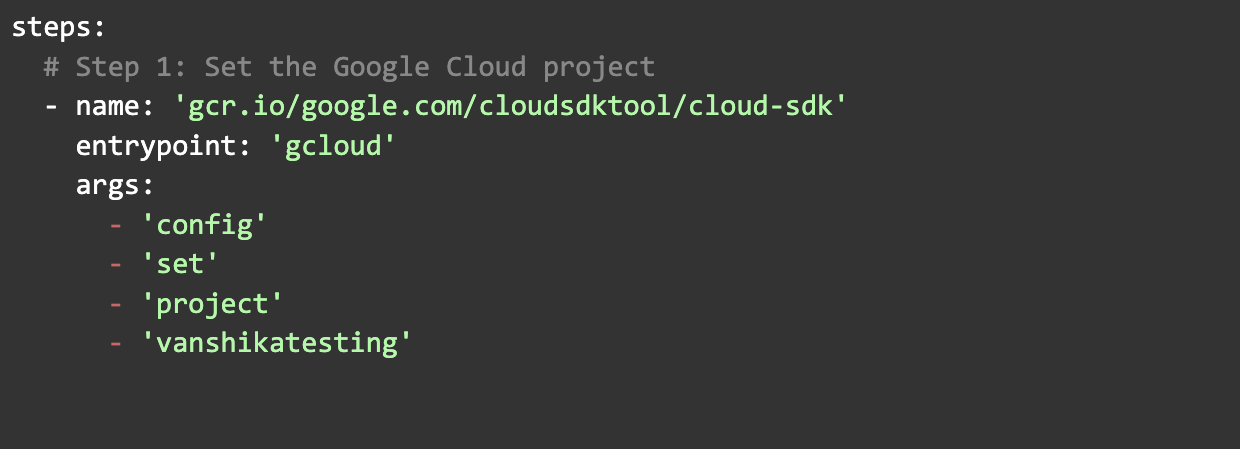
- Set the GCP project.
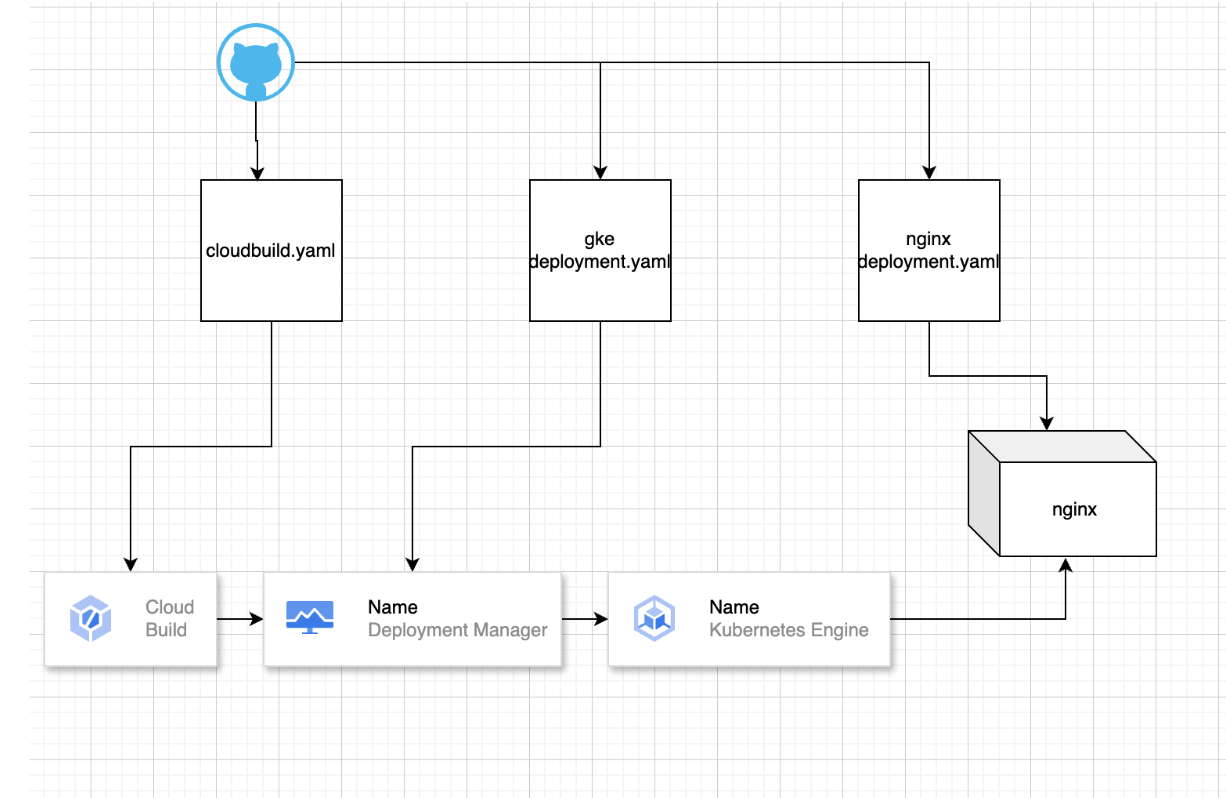
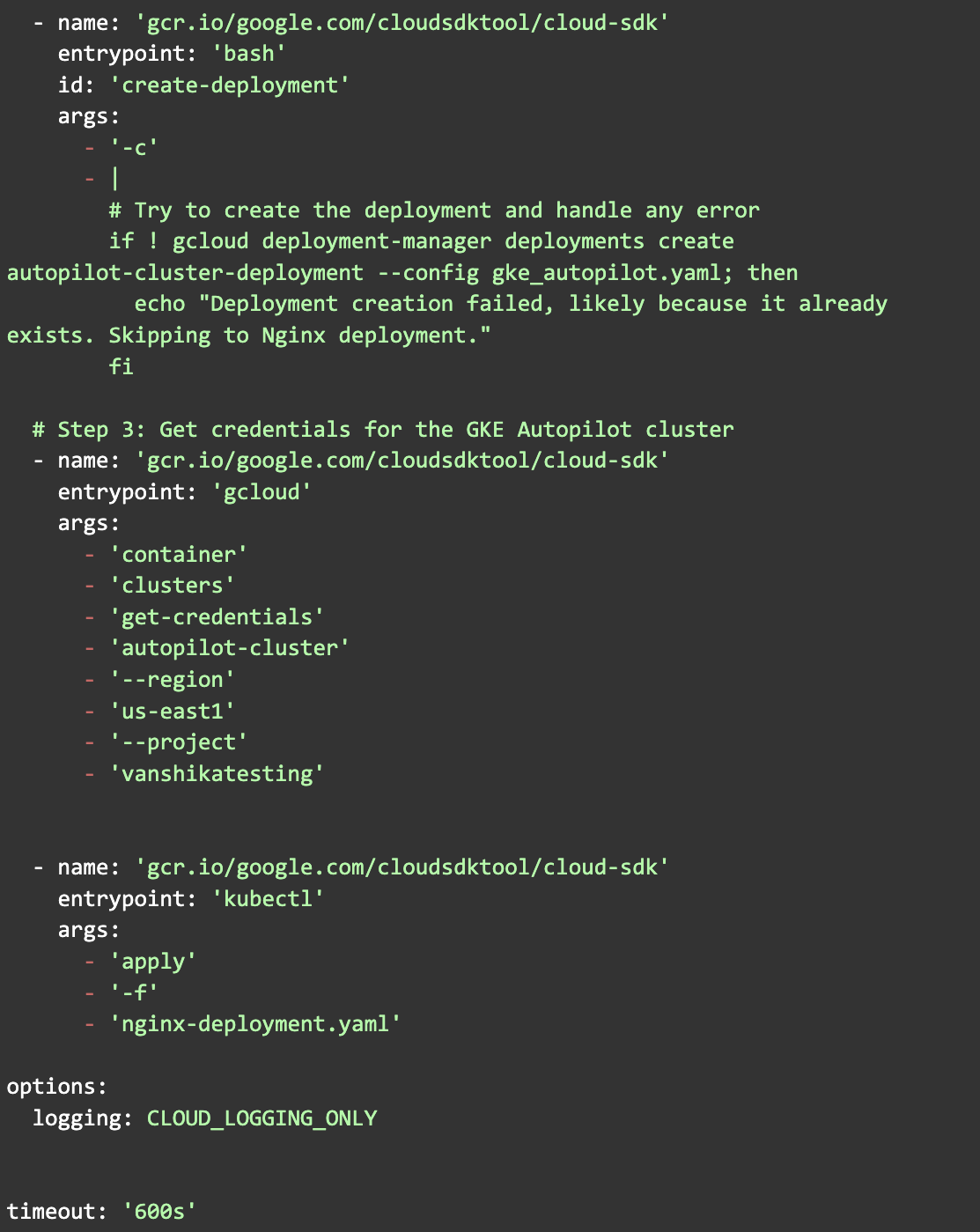
- Create a GKE Autopilot cluster using Cloud Build and Deployment Manager.
- Retrieve credentials for the new cluster.
- Deploy an Nginx service using kubectl.
Setup and Execution Procedure
Process Flow Diagram
1. Cloud Build configuration
The cloudbuild.yaml file defines the build steps. It controls the deployment sequence.
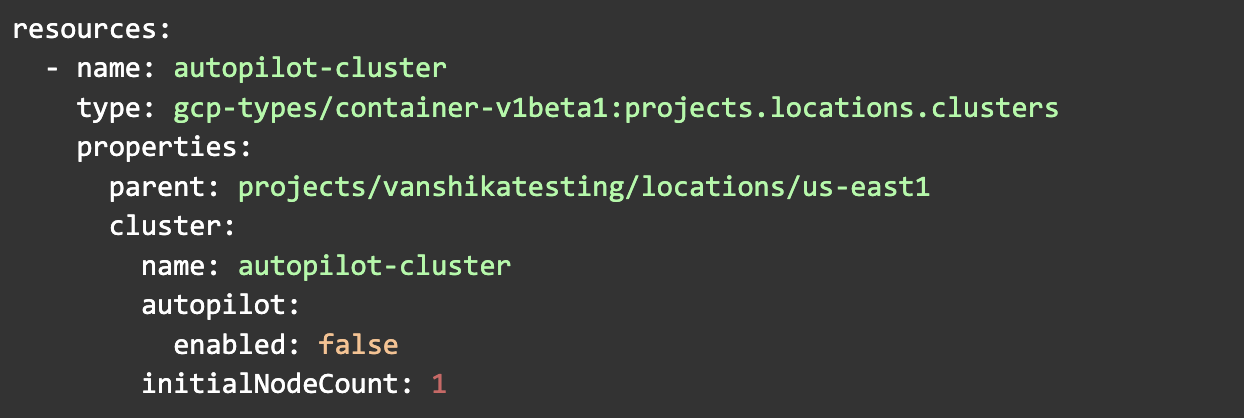
2. Deployment Manager configuration
The gke_autopilot.yaml file sets the cluster properties. It defines the GKE Autopilot configuration.
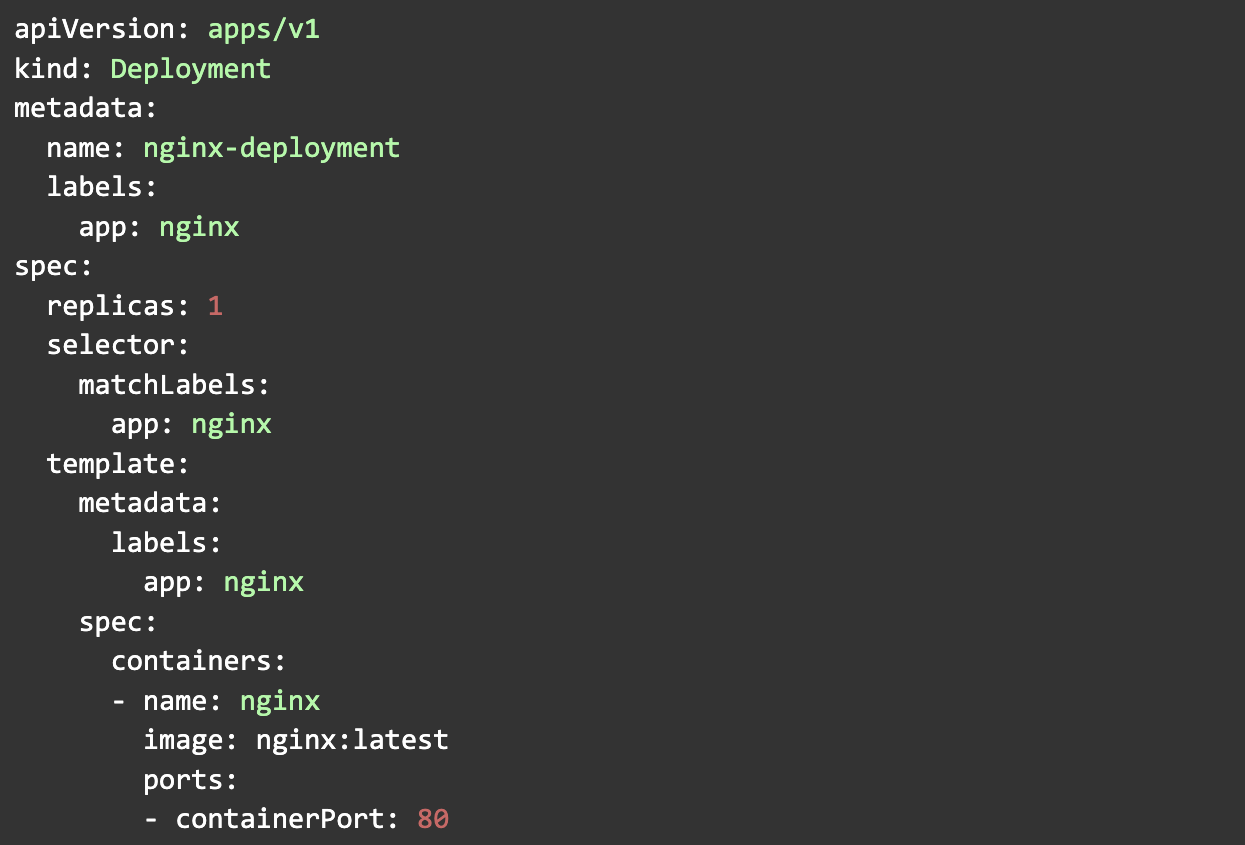
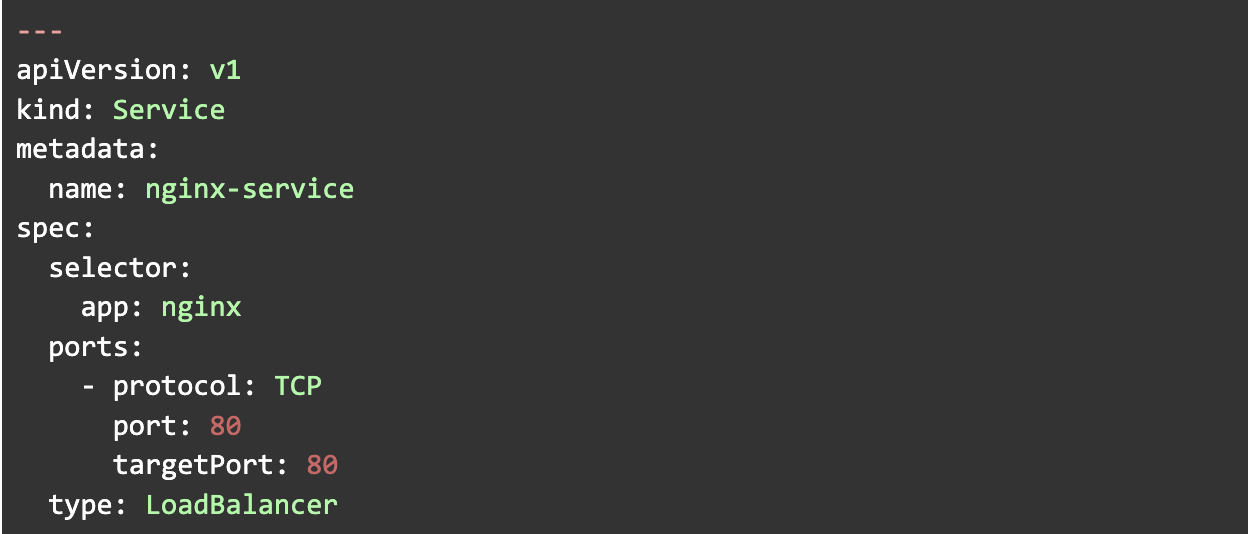
3. Nginx deployment configuration
The `nginx-deployment.yaml` file defines two resources:
- An Nginx container deployment.
- A load-balanced service to expose the container.
Deployment Steps
- Configure `cloudbuild.yaml`:
- Define Cloud Build steps to deploy resources.
- Follow the structure shown above.
- Configure `gke_autopilot.yaml`:
- Specify GKE Autopilot cluster properties.
- Configure `nginx-deployment.yaml`:
- Define the Nginx deployment.
- Define the service.
- Trigger the build
Use the Google Cloud Console or the following command to start the build:

Cloud Build runs the steps in order. It creates the GKE Autopilot cluster, retrieves credentials, and deploys Nginx.
Summary
This setup uses Cloud Build and GKE Autopilot to simplify deployment. The cloudbuild.yaml file defines the steps. It handles project configuration, cluster setup, and application deployment. This approach is efficient and automated.
For help with Google Cloud deployments, see our Google Cloud migration services.
Related reading: how to migrate a database to GCP and how to set up a data pipeline on GCP.