
Effective decision-making requires accurate data and speed. Teams often face delays due to dashboard update lags and inconsistent cross-departmental reports. These gaps lead to missed opportunities and lower confidence in data-driven decisions.
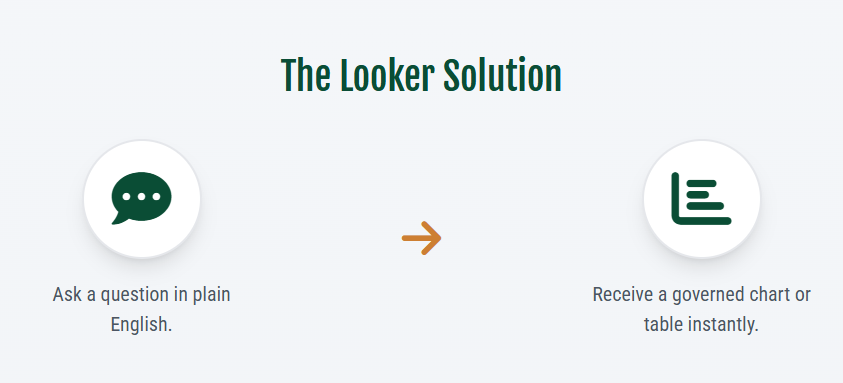
Consider an alternative workflow. When you type a direct question, such as “What is our pipeline coverage this quarter?”, the system returns a reliable, governed chart within seconds. This process removes the need for SQL skills, dashboard queues, or long wait times.
Looker Conversational Analytics connects business questions to data insights. The platform bases all responses on the Looker semantic layer. This design reduces the delays common in standard BI processes.
The system provides speed, consistency, and transparency. It also changes how organizations handle data analysis.
Core Mechanics of Looker Conversational Analytics
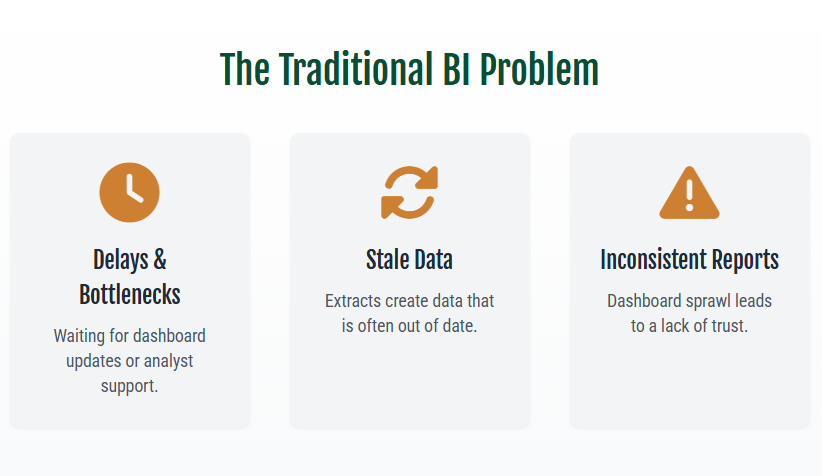
Standard BI tools face recurring limits. Dashboards only cover their initial scope. Users often need data outside this range. These requests usually trigger email chains, support tickets, and extended wait times.
Looker Conversational Analytics resolves these issues using natural language queries. Users request data via phrases such as:
- "Show me monthly revenue by region for the past year."
- "Break down customer acquisition cost by channel last quarter."
The Gemini AI assistant processes these requests. It interprets the language, maps it to LookML fields, and runs governed queries. Results display as charts or tables. The system often adds AI-generated insights on key trends.
The semantic layer supports this function. It keeps metrics like CAC, LTV, and net revenue consistent. This creates a single source of truth across marketing, finance, and sales.
Conversational analytics reduces lag and builds trust in business insights
Analytics teams often spend time modifying dashboards for single follow-up questions. Large organizations face significant backlogs as a result. Looker conversational BI reduces this lag. Users query data directly. They receive instant responses. They ask follow-up questions. No dashboard modification is required. No analyst intervention is required.
Key benefits include:
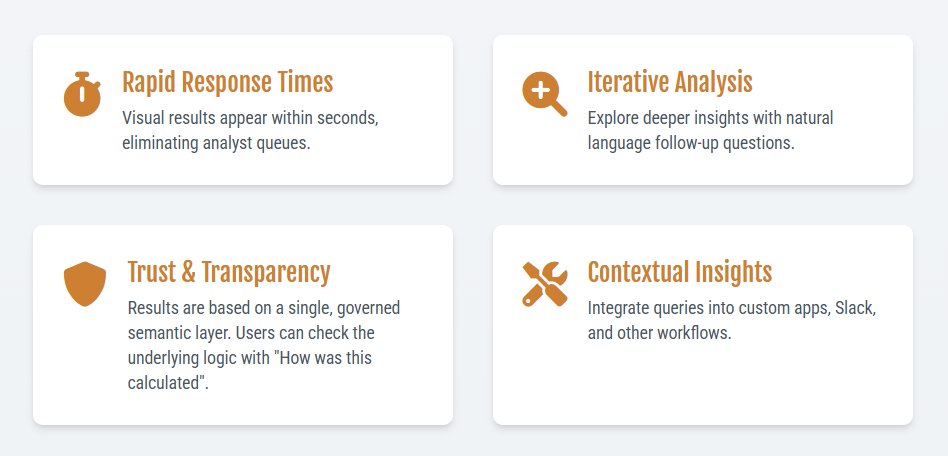
- Rapid response times: Visual results appear within seconds of query submission.
- Iterative analysis: Users explore deeper insights through conversational follow-ups.
- Real-time analysis: Executives test scenarios in meetings without preparation delays.
This method links business questions to data answers. It shortens the time from insight to action.
Rapid results lack value if decision-makers doubt data accuracy or methodology.
Looker offers transparency via the "How was this calculated" feature. This function shows underlying fields, applied filters, sorting criteria, and generated SQL code. Non-technical users receive plain-language explanations of the calculation logic. This transparency supports data governance and builds confidence. Results reflect approved business logic, not improvised calculations.
Business Function Applications
Conversational BI in Looker serves specific operational needs:
- Sales Operations: Sales VPs ask, "What is our pipeline coverage by segment?" They then ask, "Show win rates by stage and product." Results identify deal progression bottlenecks. They use the same metrics as board presentations.
- Operations Management: Managers combine conversational queries with Code Interpreter. They identify anomalies in defect rates or lead times. They export findings for performance reviews.
These applications align the organization around a single data source. They do more than improve individual efficiency.
Expanding Beyond Traditional Dashboard Limitations
Dashboards function inside business intelligence environments. Decisions occur outside them.
The Looker Conversational Analytics API embeds governed data queries into existing work environments:
- Custom applications: Front-line employees access data within primary systems.
- Productivity integrations: Data appears next to documents and emails.
- Industry workflows: Retail, healthcare, and finance teams query data inside operational applications.
This method removes context switching between tools. Insights follow users through their workflows.
Current Use Cases
Organizations use Looker conversational BI in the following ways:
- Sales leaders track pipeline metrics. They then analyze win rates.
- Marketing teams verify campaign performance. They analyze CAC and LTV cohorts.
- Operations teams pair anomaly detection with automated slide generation for performance reviews.
SquareShift implementation includes:
- Slack-integrated chatbots link Looker to Vertex AI. Users query data within team communication channels.
- Report automation creates Excel and PDF files that meet industry formatting standards.
Summary
Looker Conversational Analytics enables direct interaction with data. Users query data in natural language and receive immediate results. The system integrates Google Gemini AI with the Looker semantic layer to ensure data accuracy and consistency across the organization.
Key benefits include:
- Reduced decision latency. Users retrieve answers in minutes rather than days.
- Data consistency. Answers derive from a single, authoritative source to maintain organizational alignment.
- Broadened access. Personnel retrieve required data without analyst mediation.
SquareShift implements this technology.
- We establish governance and structure.
- This ensures effective operation and measurable results.
- It shifts business from traditional BI to intuitive and efficient data analysis.
Frequently Asked Questions
Q: Q1. What is Looker Conversational Analytics?
- It is a natural language interface for business intelligence.
- Users ask data questions in plain English.
- The system provides visual answers.
- Answers use Looker’s semantic layer.
- This ensures consistent and governed metrics.
Q: Q2. How does Conversational Analytics in Looker work?
- Looker’s Gemini AI interprets questions.
- It maps questions to LookML fields.
- It generates SQL queries.
- It returns results as charts or tables.
- Answers are grounded in the semantic model.
- Definitions remain consistent across teams.
Q: Q3. Why is Conversational Analytics important for decision-making?
- It reduces time-to-insight.
- It eliminates dashboard backlogs.
- It increases transparency via calculation audits.
- It enables faster and confident decisions at all levels.
Q: Q4. Can Looker Conversational Analytics be embedded in other applications?
- Yes.
- The Conversational Analytics API supports integration.
- Organizations can add governed Q&A to:
- Apps
- Productivity tools
- Industry workflows
- This places insights where decisions occur.
Q: Q5. How to implement Looker Conversational Analytics?
- SquareShift provides consulting and implementation services.
- SquareShift is a Google Premier Partner.
- SquareShift is a certified Looker reseller.
- SquareShift helps organizations achieve measurable outcomes from conversational BI.