
BI tool costs extend beyond licensing. Implementation, training, and maintenance increase total expenditure. Platform misalignment often results in low adoption, metric inconsistency, and rising support burdens.
Looker leads enterprise BI. It relies on the Google Cloud ecosystem and strong governance. These strengths do not guarantee fit for all organizations. This article examines:
- Scenarios for Looker Investment
- Total cost of ownership: Licensing and operational expenses
- Key strengths and critical limitations
- Measuring Looker return on investment
- Pre-contract evaluation checklist
Drivers behind enterprise BI stack re-evaluation
Many enterprise BI stacks grew incrementally, adding one tool per team need. This approach creates predictable operational issues:
- Legacy reporting tools struggle with increasing data volumes
- Data sources (CRM, product analytics, finance systems) remain fragmented
- Business users require self-service analytics to reduce dependency on data teams
- AI-driven decisions require natural-language query support beyond static charts
- Governance gaps, such as three departments reporting conflicting values for "monthly active users"
- Dashboard proliferation: hundreds of reports created over time, with low usage and unclear ownership
Differentiators of Looker
Semantic Layer (LookML)
LookML serves as the core feature of Looker. It is a version-controlled modeling layer between the data warehouse and all dashboards. It defines business logic, such as "revenue" or "active customer," in a single location. All reports inherit these definitions. This structure provides enterprises with:
- Establish a Single Source of Truth for Core Metrics
- Align metrics across departments, dashboards, and embedded products.
- Scale through reusable models. Eliminate redundant logic development.
Cloud-Native Architecture
Looker queries existing data warehouses directly. It does not import data into its own storage. The platform performs natively with BigQuery. It also connects to Snowflake, Databricks, and Redshift. This design allows the governance layer to run on your current infrastructure.
Embedded Analytics
Looker uses an API-first architecture. This design supports embedded analytics. You can build customer-facing dashboards and reports directly into your product using Looker APIs and SDKs. This removes the need for a separate reporting tool.
Google Cloud AI Integration
Looker integrates with the Google Cloud AI stack. Gemini provides conversational, natural-language analytics on governed models. Vertex AI supports predictive layers on the same data. This native integration offers a practical advantage over adding AI features to legacy BI tools for enterprises with AI roadmaps.
When Looker Delivers Strong ROI
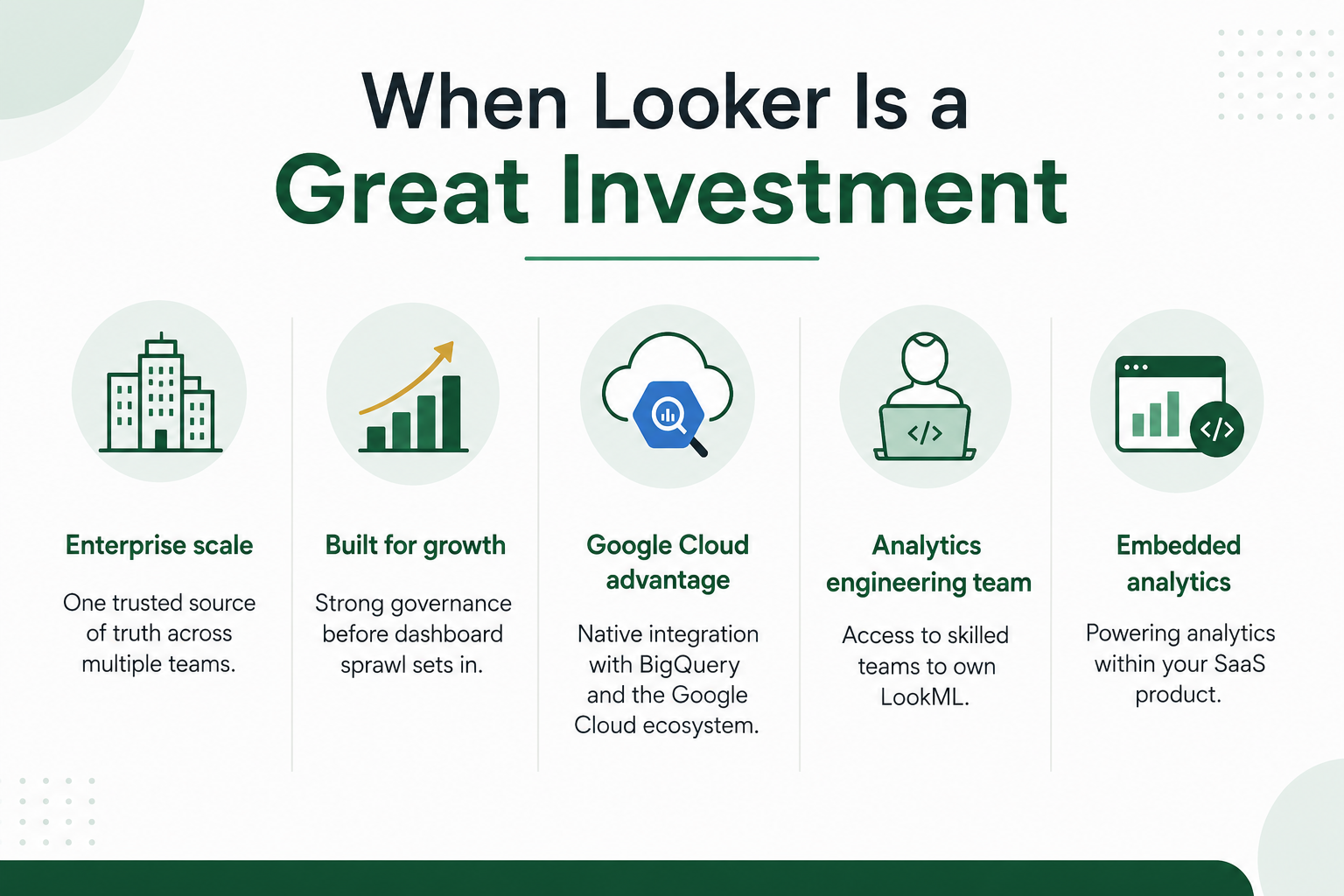
Looker cost aligns with value for organizations that match these criteria:
- Large enterprises requiring a single source of truth across departments
- High-growth firms establishing governance before dashboard proliferation
- Google Cloud and BigQuery users leveraging integrated platform benefits
- Firms with dedicated analytics engineering teams maintaining LookML
- SaaS companies requiring embedded analytics for their product, not internal reporting
Scenarios Where Looker Is Not the Optimal Choice
Looker is often not the right investment for the following scenarios:
- Small organizations with few users and simple reporting needs
- Teams seeking to replace Excel, rather than build governed data infrastructure
- No central data warehouse for modeling
- No engineering support for LookML maintenance
- Limited budget requiring a low-commitment start
If these factors apply, select a lightweight BI tool to reduce cost and implementation time while achieving core value.
Assess total cost of ownership
Licensing is one cost component in a Looker deployment. A complete TCO assessment includes:
- Licensing. Platform fees and per-user costs.
- Implementation. Initial setup, data source connections, and environment configuration.
- LookML development. Modeling work required to enforce governance.
- Training. For analytics engineers and business users.
- Ongoing support: Update models as business logic and data change.
- Infrastructure: Warehouse compute costs vary by query volume.
Compare initial cost against long-term savings. Reduced tool sprawl, automated reporting, and fewer reconciliation hours drive savings. Organizations with established data maturity gain strong long-term value. Organizations without this foundation face high upfront costs with limited near-term benefit.
Hidden Costs: Common Evaluation Gaps
Vendor materials often omit critical evaluation factors. Poorly planned Looker rollouts typically encounter:
- Poor data models create confusion
- Slow dashboards stem from unoptimized queries
- Duplicate metrics arise from weak LookML governance
- Low adoption results from delayed user onboarding
- Governance gaps occur when semantic layer ownership is undefined
- Technical debt: short-term workarounds replace proper models due to deadline pressure
These issues stem from implementation planning and governance, not platform flaws. They are common. Evaluations must account for them.
Looker Investment Return on Investment
When implemented well, Looker delivers ROI in these areas:
- Faster decisions: teams do not wait for ad hoc report requests
- Reduced manual reporting, which frees analyst time for high-value work
- Improved governance, which enforces metric definitions
- Increased data trust, which ensures all teams use the same numbers
- Genuine self-service analytics, which maintains consistency
- Reduced BI maintenance over time, once you model the semantic layer
| Before Looker | After Looker |
|---|---|
| Multiple KPI definitions | Single source of truth |
| Manual reports | Automated dashboards |
| Department silos | Shared metrics |
| Slow reporting | Real-time insights |
BI Migration Patterns
Most enterprises migrate to Looker from an existing platform. Few start from a blank state.
- Tableau to Looker. This shift typically addresses governance gaps, not visualization limitations.
- Power BI to Looker. This move often supports broader Google Cloud consolidation.
- Qlik to Looker. This transition usually aligns with data warehouse modernization.
- Replace legacy reporting with Looker. Enable governed self-service analytics. Eliminate dependence on static, IT-managed reports.
Migration requires structured planning.
- Redesign LookML models. Do not port legacy logic directly.
- Recreate dashboards for the new model.
- Train business users on the new platform.
Most organizations use dedicated Looker Implementation Services to sequence these steps. Treat migration as a redesign, not a lift-and-shift project.
Related reading: common BI migration failures, and decision confidence with modern BI platforms.
Ensure Looker Implementation Success
Successful enterprises follow a consistent sequence.
- Discovery: Map current data sources. Identify pain points. Define reporting gaps.
- Define architecture. Design how Looker integrates with your data warehouse and existing tools.
- Structure LookML. Model one high-value domain first. Do not model all domains at once.
- Optimize performance. Tune queries and warehouse interactions before expanding usage.
- Design dashboards. Build for business users. Do not limit design to the data team.
- Establish governance. Assign clear ownership of the semantic layer at the start.
- Training: Engage analysts and business users, not only developers
- Ongoing support: Maintain LookML as a continuous system, not a one-time project
Experienced implementation partners reduce risk at each stage. Most failed Looker deployments result from skipped discovery, premature modeling, or weak governance ownership. SquareShift Looker Support and Consulting helps enterprises avoid these sequencing errors.
Evaluate Looker for Your Enterprise
A successful Looker investment requires more than platform selection. It needs the right implementation strategy, semantic modeling, and long-term governance. Whether migrating from Tableau or Power BI, or starting with Google Cloud, SquareShift helps you maximize value. Our Looker Services team assesses fit before budget commitment.
Review our Looker implementation services. Schedule a consultation to evaluate if Looker fits your business needs.