
A previous article, “Unleashing the Power of Vertex AI Agent Builder: A Developer's Guide,” introduced the platform’s features and use cases. This tutorial details the process of building an agent. It provides steps to develop a Healthcare Appointment Scheduling Agent and applies these steps to create a working solution.
Introduction: AI in Healthcare Scheduling
Patients face delays when scheduling appointments. Complex forms and hold times reduce efficiency. Vertex AI Agent Builder enables the creation of agents that automate this process. This agent simplifies scheduling for patients and providers. The following steps detail how to build a healthcare appointment scheduling agent. The agent follows an agentic workflow: it takes a goal, follows instructions and uses examples.

Build Your First Agent in Vertex AI Agent Builder
Create a Healthcare Appointment Scheduling agent. Follow these steps.
- Open Google Cloud Console. Select Vertex AI. Select Agent Builder.
- Click New App.
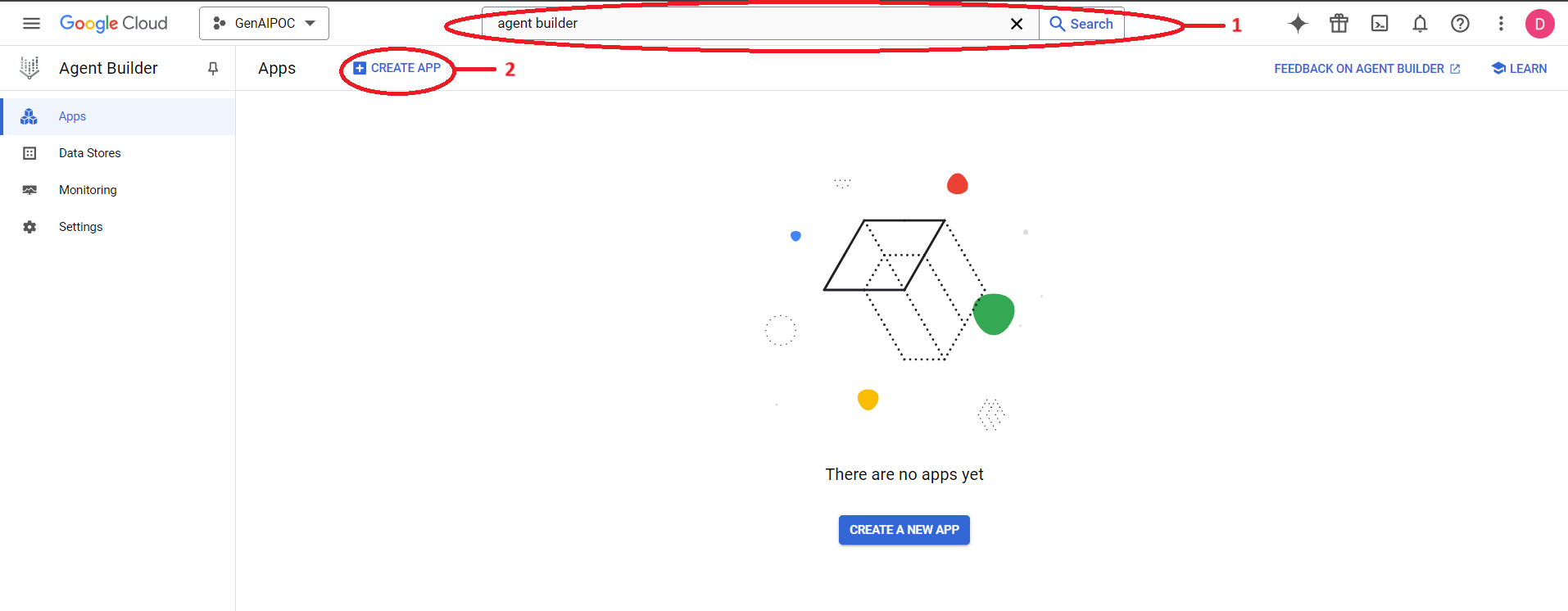
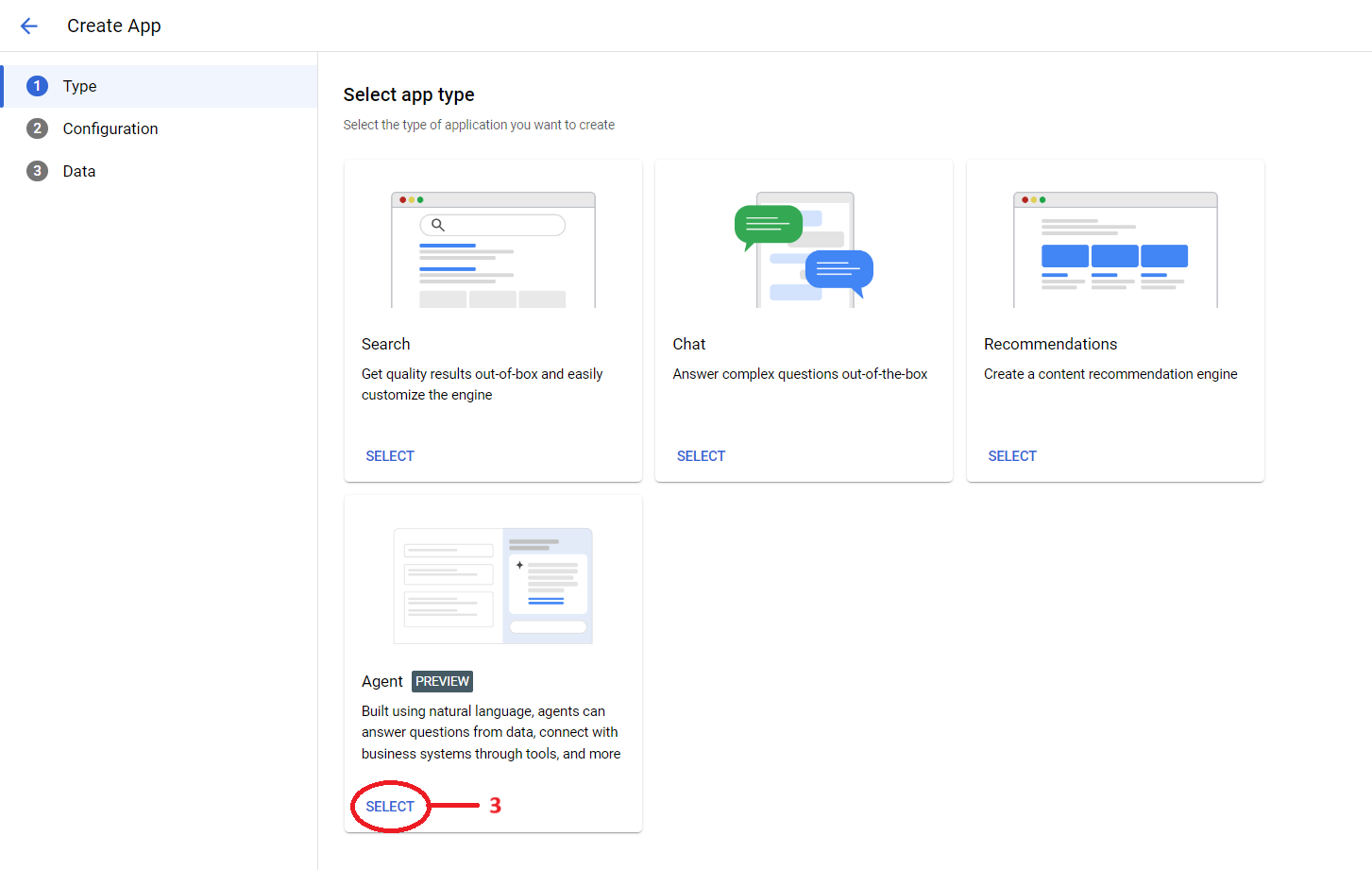
- Select Agent as the app type.
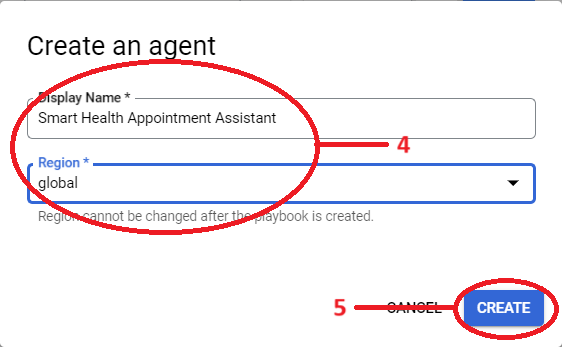
- Name and Configure the App: Assign a unique identifier (for example, Smart Health Appointment Assistant) and select a deployment region.
- Create: Select Create to instantiate the agent application.
Identify the Core Components of an AI Agent
The agent is the base unit of an agent app. Each agent executes specific tasks. The core components include the following:
- Goals: State the primary objectives for the agent to achieve.
- Instructions: Steps to achieve the objective.
- Examples: Few-shot prompts for the LLM.
Appointment Scheduling Agent Build Guide:
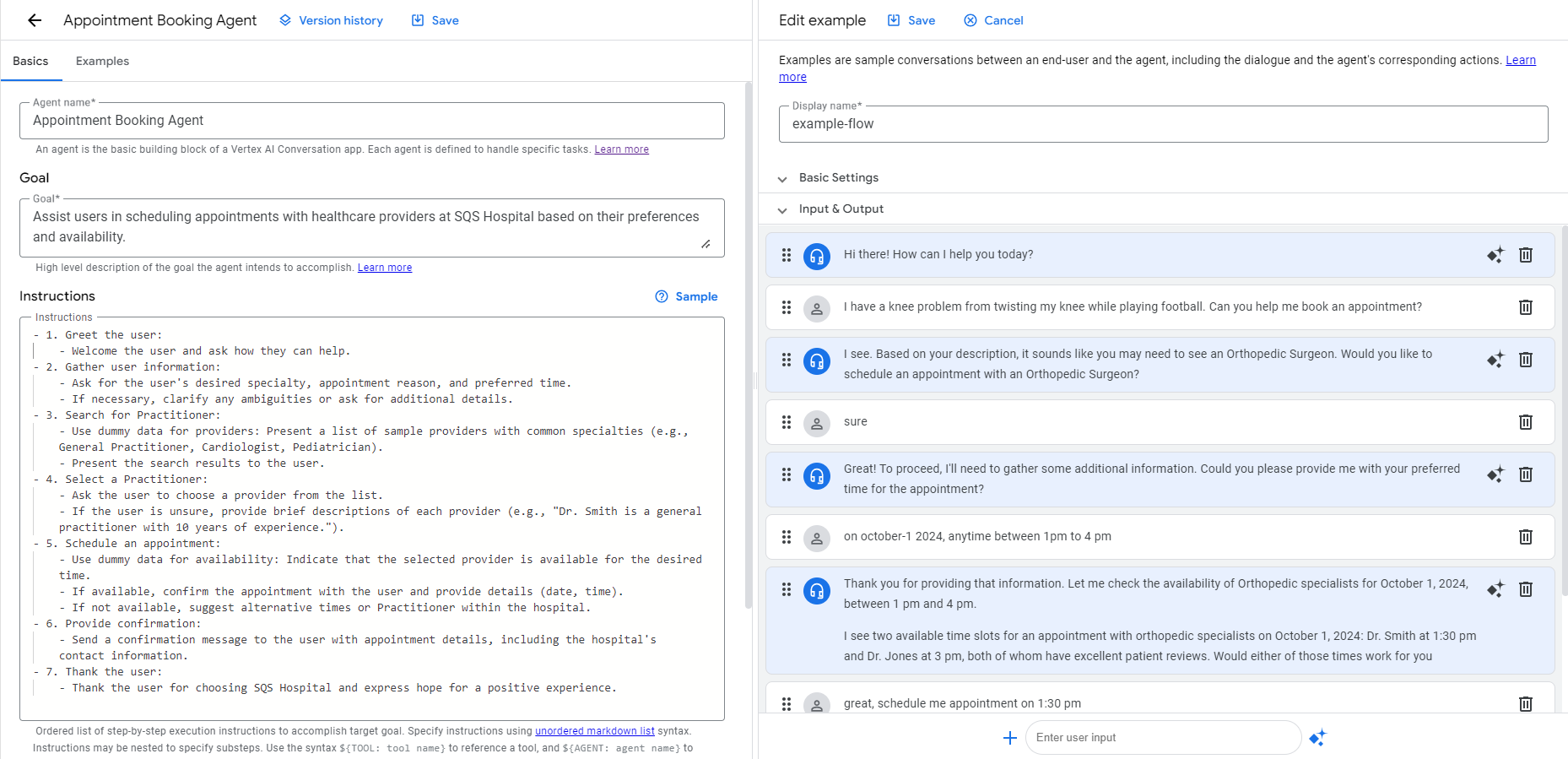
Define the Goal:
- The goal sets high-level direction. It aligns tasks with a specific outcome.
- Define the agent objective. State the primary goal: schedule healthcare appointments for users.
Define Instructions
- List the steps the agent must follow. Break the conversation flow into specific, actionable tasks.
Provide Examples
- Show a sample conversation. Demonstrate how the agent applies the instructions to achieve the goal.
- This flow defines a step-by-step interaction. The agent guides the user through a use case, such as booking a healthcare appointment.
- The example trains the agent to recognize user intents. It aligns agent responses with the task.
Test and Refine Your Agent
Test the agent thoroughly after build-out. Use the Agent Builder simulator to run conversations. Identify gaps in performance. Refine instructions and examples based on test results. This step improves accuracy and user experience. For more on writing goals, instructions and examples, see our best practices for building agent apps on Vertex AI.
Next: Data Integration and Advanced Features
You have built a basic healthcare appointment scheduling agent using Vertex AI Agent Builder. This is the first step. The next article explains how to connect agents to external data sources using Vertex AI Agent Builder API integration.
To build a custom AI agent, see our article: Build Custom AI Agents with Google AgentSpace. Contact our experts for support:
Contact Us