
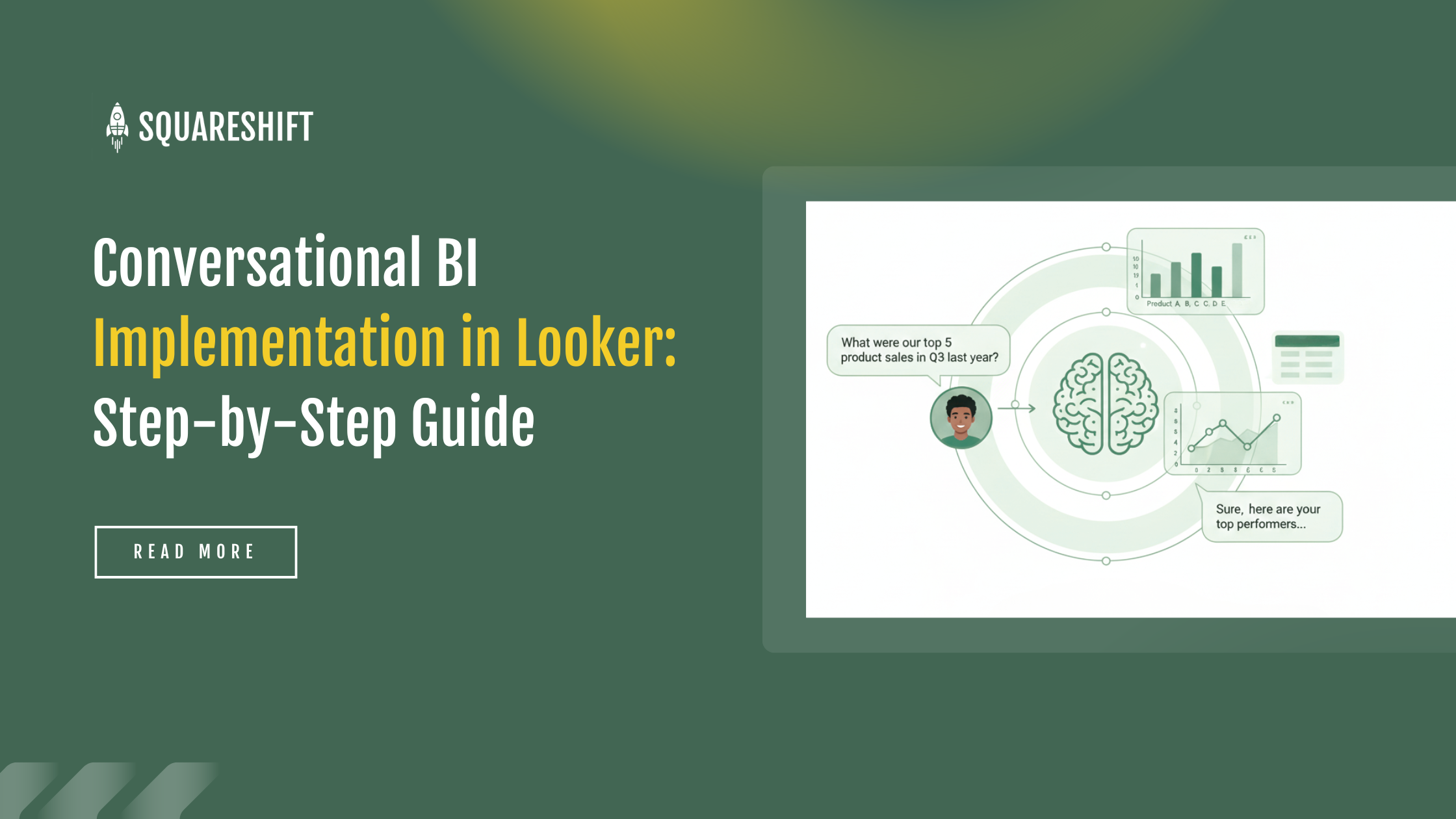
Understand the operational flow of Conversational BI before selecting tools or configuring settings.
Conversational BI in Looker lets users ask a question in natural language and get a readable answer, because the system turns the question into a structured query that Looker runs on its existing semantic model.
The processing sequence follows three stages:
- A user submits a query in natural language.
The conversational layer parses the question.
The system generates a structured query for Looker.
Looker executes the query using the existing semantic model.
The system formats the result as a readable response.
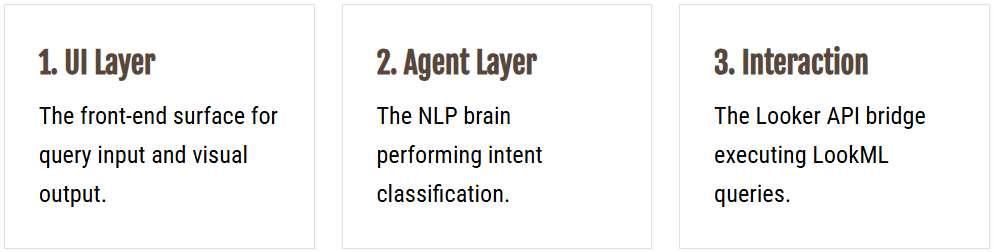
Production implementations typically use a four-layer architecture:
- Chat or UI Interface: System entry point. Front-end surface (Slack, Microsoft Teams, or custom web dashboard) where users input queries and receive visualizations or answers.
- Optional Memory or Caching Layer: Checks recent answers or ongoing state (e.g., previous filters) before processing new requests. Carries state forward into new queries.
- Conversational Agent Layer: Uses NLP for intent classification and entity recognition. Identifies specific metrics (e.g., Gross Margin) and validates request feasibility within data scope.
- Looker API Interaction Layer: Translates validated intent into LookML dimensions and measures. Sends API request and retrieves structured data for user return.
Steps for Looker Implementation of Conversational BI
Step 1: Configure Looker for Conversational BI Analytics
Preparation requires contextual clarity, not join correction. Manual heuristics fail because AI models lack business intuition. This section details the necessary structural changes.
- Intuition Gap: Human analysts infer that "Sales" refers to "Gross Revenue" unless specified. AI models do not infer. If the model contains five fields named "Total_Amount," it cannot select the correct field without explicit instruction.
- Vocabulary Mismatch: Users use business language, not database syntax. Users ask, "How many customers did we have?" instead of requesting "count_distinct_order_id." LookML labels and descriptions must match business terminology.
Preparation involves reviewing foundational elements:
- Field names use business terms, not raw schema labels.
- Metrics hold one definition, not multiple meanings.
- Joins are intentional and predictable.
- Date fields behave consistently across explores.
Teams find modeling issues only after adding Conversational BI.
Review the AI-driven analytics in Looker to see how it simplifies complex data models for non-technical users.
Step 2: Define the Conversational Entry Point
With the data layer complete, identify the location where users will ask questions.
Most organizations select one of three options:
- Within Looker
- In chat tools, such as Slack
- In internal applications via embedding
Chat entry points drive higher adoption by reducing friction. Users ask questions in these tools by default. No new habits form.
Behavior drives this decision, not technology. Users abandon workflows that interrupt their flow. Embed conversational BI in existing communication channels.
Step 3: Convert Natural Language to Looker Queries
This section contains the core technical complexity.
When a user asks, “What were last month’s weekly signups?”, the system must resolve several parameters:
- Calculate the average customer lifetime value for each age group.
- Display purchase frequency for each age segment.
- Identify preferred product categories for high-value customers with lifetime value greater than 1,000.
- What is the profit margin for these categories?
- Which marketing channels acquire customers with the highest lifetime value most effectively?
This logic requires guardrails.
Strong implementations apply strict limits:
- Query only approved explores
- Limit query scope to control costs
- Validate queries before execution
The user interface remains flexible. The system enforces strict controls. This design ensures reliability and predictable performance.
Accurate semantic modeling is critical. Google reported that Suzano, the world's largest pulp manufacturer, used Gemini Pro to convert natural language to SQL. Proper data structure reduced query time by 95% for 50,000 employees (Google, 2026). Such efficiency requires a conversation-ready model.
Step 4: Integrate Context, Memory, and Reuse
Conversational BI moves beyond single queries. It becomes a practical tool for exploration.
Users rarely ask one perfect question. They build understanding in steps:
- Compare to last month.
- Break down by region.
- Identify the cause of change.
Context management enables the system to:
- Persist active filters
- Resolve pronouns such as 'this' or 'that'
- Ensure logical consistency across responses
Implement caching for repeated queries to reduce computation time. Fast, consistent responses increase user trust.
Step 5: Enforce Access Controls and Governance
Security is mandatory. Shortcuts cause significant risk.
Conversational BI must follow the same access rules as Looker. Users cannot view data in a conversational interface if they lack permission to view it in Looker.
Effective implementations:
- Use Looker permissions as the single source of truth.
- Apply row-level and explore-level security
- Separate chat access from data access
Looker embeds governance in the semantic layer. Conversational BI operates on this foundation. Our implementation framework uses a phased approach to maintain governed queries and
security.
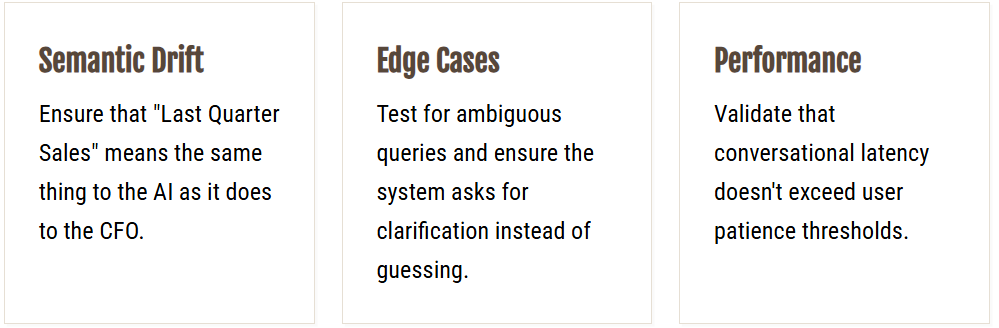
Step 6: Validate with business questions, not demo prompts
Before enterprise deployment, capture real user queries. Validate performance against these criteria:
- Response accuracy for ambiguous phrasing
- Identification of potentially misleading results
- Logic for declining invalid or unsupported queries
Indicators of system health:
- Define follow-up logic
- Provide conservative answers when intent is unclear
Identify the following risks:
- Overconfident responses
- Silent failures
- Variable Interpretations of Similar Queries
This phase requires more time than initial estimates. It determines user adoption.
Failure Modes and Prevention Strategies
Conversational BI does not correct poor data foundations or undefined ownership.
Failure occurs when:
- Treat as an automated layer
- Ignore data quality issues
- Grant broad access permissions
- Do not monitor usage metrics
Succeed by grounding expectations, controlling scope, and prioritizing reliability.
Assess Success: Track Usage, Not Just Accuracy
Key indicators include:
- Frequency of user queries
- Rate of follow-up questions
- Reduction in ad-hoc analyst requests
- Reduce time to answer business questions
Implement Conversational BI in Looker with SquareShift
SquareShift addresses execution challenges in Conversational BI.
- We fix semantic models first.
- We tighten governance.
- We make data conversation-ready before adding agents.
- We design workflows for Looker, Slack, or embedded apps.
This approach enables leaders to get insights in seconds.
It frees analysts for high-value work.
See our Looker conversational analytics solution for how SquareShift delivers this.
Related guides: conversational analytics in Looker covers architecture, governance and adoption, and natural language query in Looker explains how business users access data faster.
Frequently asked questions
Frequently Asked Questions
Q: What are the primary steps for a Conversational BI implementation?
- Prepare Looker for analytics.
- Define entry points.
- Translate natural language.
- Add context and memory.
- Secure access.
- Test with real questions.
Q: What is the most complex part of the implementation?
The complexity is translating natural language into specific Looker queries. This includes defining date ranges and choosing the correct measures.
Q: How do you ensure the system understands business terminology?
Update LookML with clear labels and descriptions. Use business language, not raw database schemas.
Q: How does SquareShift help teams avoid common implementation failures?
We fix semantic models and tighten governance before introducing an agent. This prevents the system from being treated as a magic layer.
Q: How do you ensure the implementation does not lead to runaway costs?
Use guardrails to bound queries. Validate generated queries before execution against the database.
Q: How can SquareShift accelerate time-to-insight for business leaders?
We design conversational workflows on top of Looker. Leaders get insights in seconds. Analysts focus on high-value work.
Q: How do you prepare Looker for conversational BI?
Check four foundations. Field names use business terms. Metrics hold one definition. Joins are intentional and predictable. Date fields behave consistently across Explores. LookML labels and descriptions must match business terminology, because AI models cannot choose between similar fields without explicit instruction.
Q: Where should users ask questions in a conversational BI rollout?
Most organizations select one of three options: within Looker, in chat tools such as Slack, or in internal applications through embedding. Chat entry points drive higher adoption because they reduce friction. Users already ask questions in these tools, so no new habits form. Embed conversational BI in existing communication channels.
Q: How do you measure the success of conversational BI in Looker?
Track usage, not just accuracy. Key indicators include the frequency of user queries, the rate of follow-up questions, the reduction in ad-hoc analyst requests, and the reduced time to answer business questions. Before enterprise deployment, validate with real business questions instead of demo prompts.