
Elasticsearch provides fast search. This two-part series explains how the engine scores documents. It covers query construction and score calculation. It uses the explain API to detail the underlying logic.
Search Relevance Optimization: How Elasticsearch Ranks Results
Elasticsearch previously used TF-IDF as the default similarity algorithm. It now uses BM25. This change occurred with the introduction of Lucene 6.
How Elasticsearch assigns relevance scores
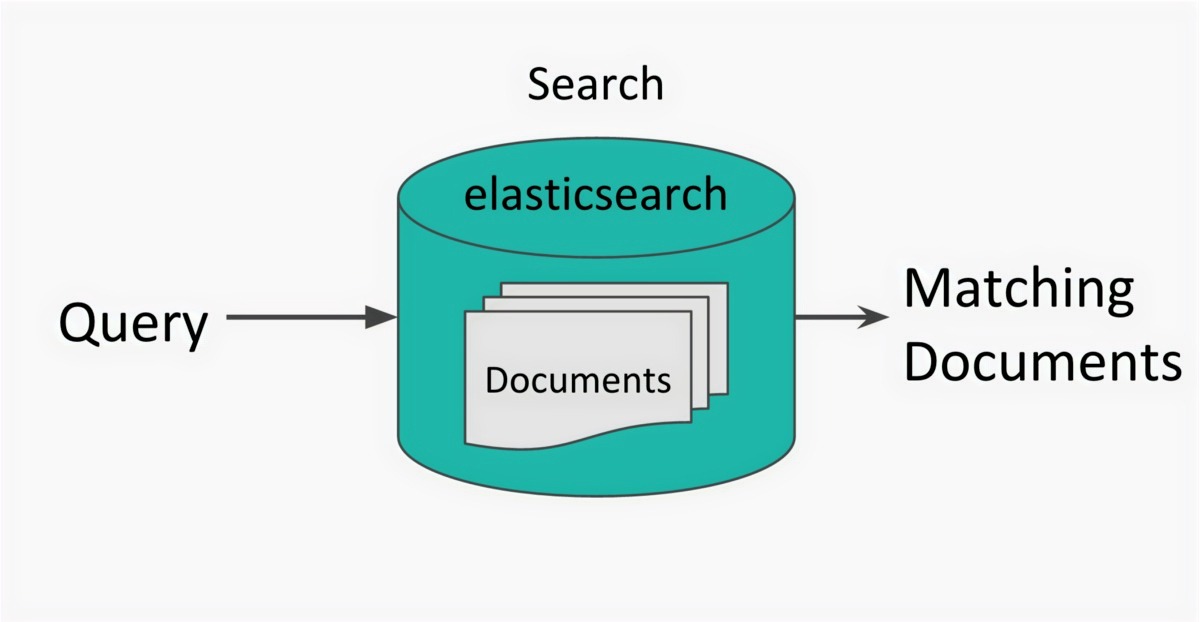
The scoring criteria include:
- Term Frequency (TF): Count of the search term within the document.
- Document length relative to the average document length in the index.
- Inverse Document Frequency (IDF): Ratio of documents with a value in the field to documents containing the term. Rare terms yield higher scores.
- Elasticsearch sums the scores for all search terms.
Scenario Example:
Consider a book catalogue index. The index uses category, short description, and long description fields to identify relevant books. Begin with a simple search query to find these books.
01{02 “title”: “Unlocking Android”,03 “isbn”: “1933988673”,04 “pageCount”: 416,05 “categories”: [06 “Open Source”,07 “Mobile”08 ],09 “shortDescription”: “Unlocking Android: A Developer’s Guide provides concise, hands-on instruction for the Android operating system and development tools. This book teaches important architectural concepts in a straightforward writing style and builds on this with practical and useful examples throughout.”,10 “longDescription”: “Android is an open source mobile phone platform based on the Linux operating system and developed by the Open Handset Alliance, a consortium of over 30 hardware, software and telecom companies that focus on open standards for mobile devices. Led by search giant, Google, Android is designed to deliver a better and more open and cost effective mobile experience. Unlocking Android: A Developer’s Guide provides concise, hands-on instruction for the Android operating system and development tools. This book teaches important architectural concepts in a straightforward writing style and builds on this with practical and useful examples throughout. Based on his mobile development experience and his deep knowledge of the arcane Android technical documentation, the author conveys the know-how you need to develop practical applications that build upon or replace any of Androids features, however small. Unlocking Android: A Developer’s Guide prepares the reader to embrace the platform in easy-to-understand language and builds on this foundation with re-usable Java code examples. It is ideal for corporate and hobbyists alike who have an interest, or a mandate, to deliver software functionality for cell phones. WHAT’S INSIDE: * Android’s place in the market * Using the Eclipse environment for Android development * The Intents — how and why they are used * Application classes: o Activity o Service o IntentReceiver * User interface design * Using the ContentProvider to manage data * Persisting data with the SQLite database * Networking examples * Telephony applications * Notification methods * OpenGL, animation & multimedia * Sample Applications “,11 “status”: “PUBLISH”,12 “authors”: [13 “W. Frank Ableson”,14 “Charlie Collins”,15 “Robi Sen”16 ]17}Note: A step-by-step guide for reproducing the queries appears at the end of this article.
Start the search process:
Begin by searching the books index for the phrase “Open Search.”
Scenario 1: Simple Search
Query the title field for the phrase “Open Search.”
01GET books/_search02{03 “query”: {04 “term”: {05 “title”: {06 “value”: “Open Search”07 }08 }09 },10 “highlight”: {11 “fields”: {12 “title”: {}13 }14 }15}The search returns over 100 documents. These results appear relevant initially. However, none discuss Lucene, the search engine. The query misses the specific context.
The phrase “Open Source” also appears in the short description and long description fields. The initial query ignores these fields. The following section shows how field mapping affects search relevance.
Scenario 2: Add Fields to the Query
Extend Scenario 1. Search the phrase “Open Search” in three fields: categories, longDescription, and shortDescription.
01GET books/_search02{03 “explain”: false, 04 “query”: {05 “bool”: {06 “should”: [07 {08 “multi_match”: {09 “query”: “Open Search”,10 “fields”: [11 “shortDescription”,12 “longDescription”,13 “categories.keyword”14 ],15 “type”: “phrase”16 }17 }18 ]19 }20 },21 “highlight”: {22 “fields”: {23 “shortDescription”: {},24 “longDescription”: {},25 “categories.keyword”: {}26 }27 }28}The total number of matched documents changes to 36. The max_score is 8.118633. The document with the highest rank in Scenario 1 now appears in the middle of the results.
The phrase type selects the maximum score from all fields. The system returns the document with the highest score.
Scenario 3: Boost the Search
Boost adjusts field relevance. Assign higher weights to specific fields to prioritize them in search results.
01GET books/_search02{03 “query”: {04 “bool”: {05 “should”: [06 {07 “multi_match”: {08 “query”: “Open Search”,09 “fields”: [10 “shortDescription”,11 “longDescription”,12 “categories.keyword⁵⁰”13 ],14 “type”: “phrase”15 }16 }17 ]18 }19 },20 “highlight”: {21 “fields”: {22 “shortDescription”: {},23 “longDescription”: {},24 “categories.keyword”: {}25 }26 }27}Note: Apply the caret symbol (^) followed by the boost score.
Scenario 4: Extend Search Scope
Include partial matches for “Open Search” alongside exact matches.
01GET books/_search02{03 “explain”: true, 04 “query”: {05 “bool”: {06 “should”: [07 {08 “multi_match”: {09 “query”: “Open Search”,10 “fields”: [11 “shortDescription”,12 “longDescription”,13 “categories.keyword⁵⁰”14 ],15 “type”: “phrase”16 }17 },18 {19 “multi_match”: {20 “query”: “Open Search”,21 “fields”: [22 “shortDescription”,23 “longDescription”,24 “categories⁴⁰”25 ],26 “type”: “most_fields”27 }28 }29 ]30 }31 },32 “highlight”: {33 “fields”: {34 “shortDescription”: {},35 “longDescription”: {},36 “categories”: {},37 “categories.keyword”: {}38 }39 }40}The top result, ISBN 1933988177 (Lucene in Action, Second Edition), has a max_score of 530.05334.
Results vary by field type. Understand each type before writing complex queries. For example, selecting “ best_fields ” instead of “ most_fields ” would return the document with ISBN 1933988673. “ best_fields ” uses the maximum score from any matching field. “ most_fields ” uses the maximum score from the combined fields. ( Other Supported types)
Summary
Tuning Elasticsearch queries and boosting fields requires attention to each parameter. Consider the following when developing search queries:
- Use keyword field types only for exact single-word matches. Do not use keyword fields for partial matches. Partial matches on keyword fields degrade search results.
- Treat keyword fields as unique value limits. Overuse of keyword fields leads to improper search results.
- Apply field boosts only when required. Excessive boosts degrade result quality.
- Select field types for match queries based on specific use-case requirements.
- Filter data before searching. This improves performance.
- Use the Function Score query to reduce scores for older documents.
For help improving search relevance, see our AI-powered search.
The next article explains query behavior using the explain API.
Exercise
Step 1: Download the sample books dataset from the link provided.
Step 2: Create an index named books. Define explicit mappings only for search fields.
01PUT books02{03 “mappings”: {04 “properties”: {05 “categories”: {06 “type”: “text”,07 “fields”: {08 “keyword”: {09 “type”: “keyword”10 }11 }12 },13 “longDescription”: {14 “type”: “text”15 },16 “shortDescription”: {17 “type”: “text”18 }19 }20 }21}Note: Explicit mappings improve performance and reduce overhead.
Step 3: Upload the JSON data to Elasticsearch using the Bulk API. Execute search queries.
To continue learning about Elasticsearch, read Part 2.
Related reading: Part 2 on the Elasticsearch explain API and ecommerce site search optimization.