
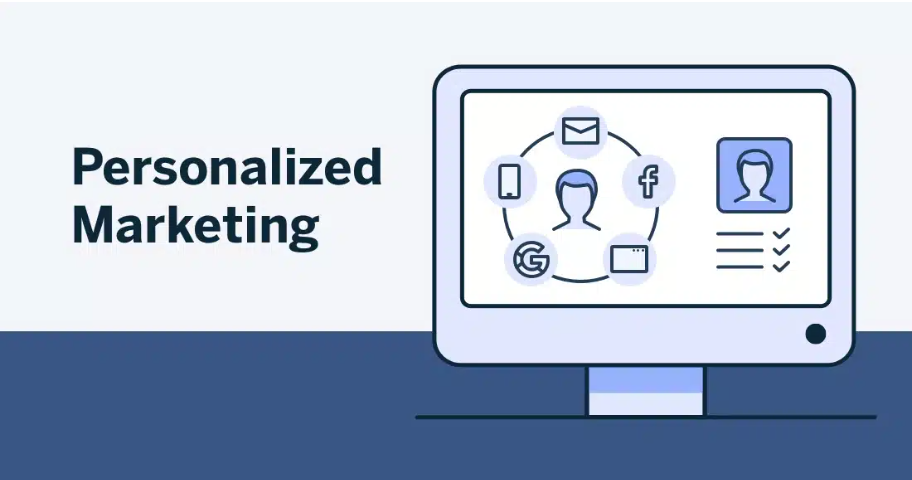
Personalized marketing is a business requirement. Looker and BigQuery support advanced data analytics to define actionable customer segments for specific campaigns. This article outlines a practical method for implementing customer segmentation with these tools.
The Role of Customer Segmentation
Personalized outreach differentiates businesses in competitive markets. Segmenting customers by behavior, demographics, or preferences allows organizations to:
- Tailor marketing strategies.
- Improve customer experiences.
- Allocate resources to high-value segments to increase ROI.
Looker and BigQuery combine analytics with visualization to provide clear insights.
How Looker and BigQuery Enable Advanced Segmentation
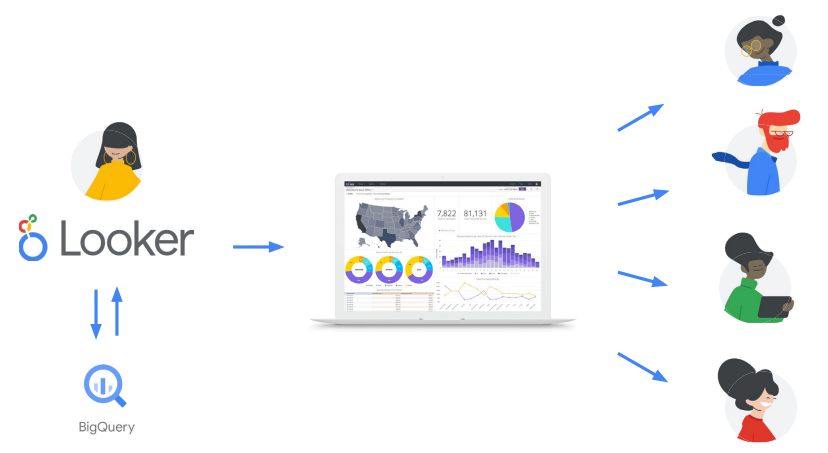
- BigQuery: Processes large data sets at scale, executes fast queries, and supports machine learning to identify patterns.
- Looker: Converts BigQuery data into actionable insights via intuitive dashboards and visualizations.
The combined system enables dynamic customer segmentation based on behavior, preferences, and purchase history.
Configure Looker and BigQuery for Segmentation
Step 1: Prepare Data in BigQuery
- Step 1: Ingest DataImport customer data into BigQuery. Key inputs include:
- Transactional data (purchase history, spend)
- Behavioral data (website interactions)
- Demographics (age, location)
- Stage data in Cloud Storage or use BigQuery Data Transfer Service for direct ingestion from sources such as Google Ads or Salesforce.
- Step 2: Clean and Transform DataWrite SQL queries to clean and standardize data.
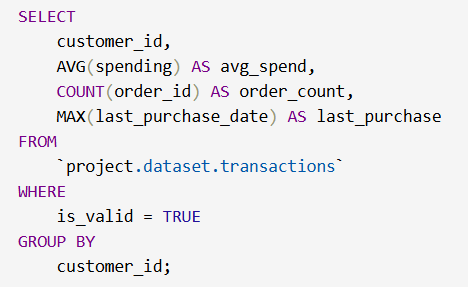
- Step 3: Engineer FeaturesGenerate segmentation features:
- Recency: Days since last purchase
- Frequency: Number of purchases in a defined period
- Monetary Value: Total spend
Building Segments with BigQuery ML
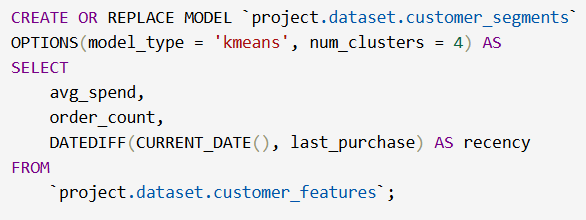
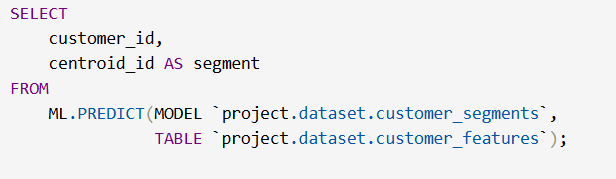
Create segmentation models in BigQuery. Use machine learning to cluster data with K-Means.
Train the model
Evaluate segments. Retrieve results:
3. Visualize and explore segments in Looker
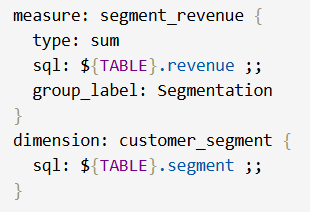
- Connect Looker to BigQuery. Add a BigQuery connection in the Looker admin panel. Import the dataset. Define LookML models to map fields, such as customer segments.
- Build dashboards to visualize key metrics:
- Segment distribution by count
- Revenue contribution
- Engagement trends across segments
- Enable real-time filtering by segment.Use filters to inspect behavior and campaign performance.Looker dashboards support dynamic filtering and insight generation.
Industry Applications
| Industry | Use Case | Implementation |
|---|---|---|
| Retail | Predict customer churn | Use BigQuery ML to score customers on churn likelihood, then target high-risk segments with offers. |
| E-commerce | Tailored recommendations | Analyze purchase pattern, show personalized suggestions using Looker dashboards embedded in the app. |
| Travel | Segment frequent travelers for loyalty campaigns | Group by booking frequency and destinations, visualize in Looker for actionable insights. |
| Finance | Personalized investment advice | Segment customers by risk tolerance, surface insights with Looker for relationship managers. |
Summary
Customer segmentation in Looker and BigQuery supports targeted marketing. Organizations use these tools to replace generic strategies. This approach builds customer loyalty and increases revenue.
Implement Looker and BigQuery to enable personalized customer engagement. Use these tools to measure and optimize campaign performance.
Related reading: Looker and BigQuery for marketing analytics and real-time campaign optimization with BigQuery and Looker.